iOS 기본 (swift)
[iOS - swift] 13. 컬렉션 뷰(Collection View)
jake-kim
2020. 5. 23. 21:16
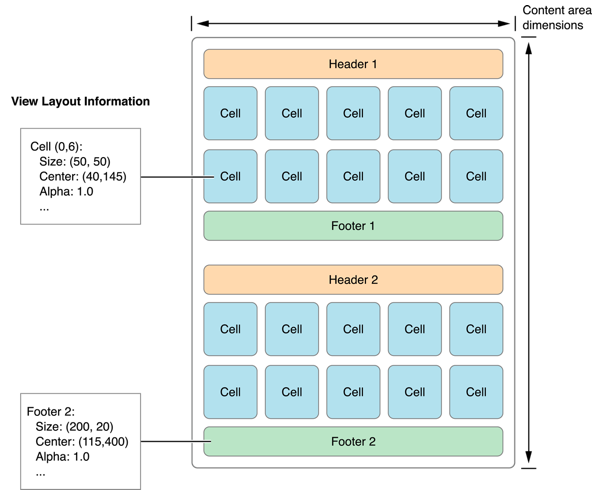
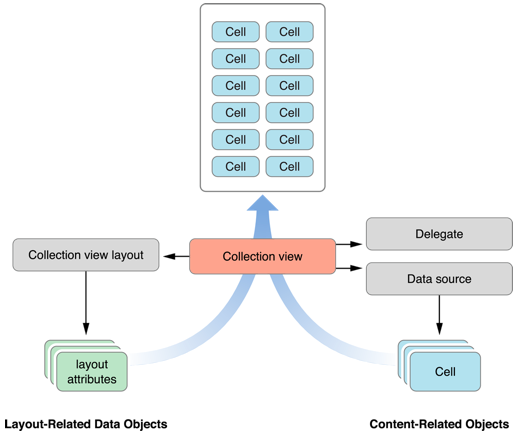
1. Collection View생성
1) collection view를 생성한 후, 위에 표현할 아이템(UILabel) 생성
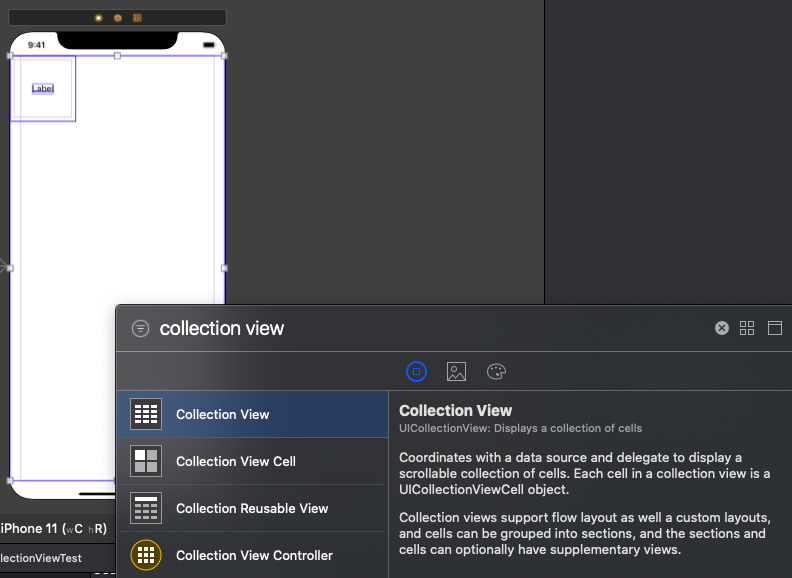
2) 해당 ViewController를 UIViewContoller를 상속받은 클래스와 연결하고, Collection Cell의 id를 "cell"로 설정
3) 연결된 클래스에 collectionView변수로 연결 및 delegate설정
class ViewController: UIViewController {
    var list = ["1", "2", "3", "4" ,"5", "6", "7", "8", "9", "10"]

    @IBOutlet var collectionView: UICollectionView!

    override func viewDidLoad() {
        super.viewDidLoad()

        self.collectionView.delegate = self
        self.collectionView.dataSource = self

    }
}
4) Cell에 관한 정의
// custom cell
class CSCollectionViewCell : UICollectionViewCell {

    @IBOutlet var lbl: UILabel!
}
* storyboard없이 100% programmatically시 아래와 같이 registerClass 추가 (table View와 동일)
// defalt cell
collectionView!.registerClass(CollectionViewCell.self, forCellWithReuseIdentifier: "CollectionViewCell")

// custom cell
collectionView!.registerClass(CSCollectionviewCell.self, forCellWithReuseIdentifier: "CollectionViewCell")
2. cell에 관한 delegate
- 아이템의 개수 : collectionView(_:numberOfItemsInSection:)
- 셀 생성 : collectionView(_:cellForItemAt:)
// cell data
extension ViewController: UICollectionViewDelegate, UICollectionViewDataSource {

    func collectionView(_ collectionView: UICollectionView, numberOfItemsInSection section: Int) -> Int {
        return list.count
    }

    func collectionView(_ collectionView: UICollectionView, cellForItemAt indexPath: IndexPath) -> UICollectionViewCell {
        let cell = collectionView.dequeueReusableCell(withReuseIdentifier: "cell", for: indexPath) as! CSCollectionViewCell

        cell.backgroundColor = .lightGray
        cell.lbl.text = list[indexPath.row]
        cell.lbl.backgroundColor = .yellow

        return cell
    }
}
3. Cell의 layout에 대한 delegate
- 위 아래 간격 : collectionView(_:layout:minumumLineSpacingForSectionAt:)
- 옆 간격 : collectionView(_:layout:minimumInteritemSpacingForSectionAt:)
- cell사이즈 : collectionView(_:layout:sizeForItemAt:)
※ 옆 간격 사이즈와 cell사이즈 적절히 조절
// cell layout
extension ViewController: UICollectionViewDelegateFlowLayout {

    // 위 아래 간격
    func collectionView(_ collectionView: UICollectionView, layout collectionViewLayout: UICollectionViewLayout, minimumLineSpacingForSectionAt section: Int) -> CGFloat {
        return 1
    }

    // 옆 간격
    func collectionView(_ collectionView: UICollectionView, layout collectionViewLayout: UICollectionViewLayout, minimumInteritemSpacingForSectionAt section: Int) -> CGFloat {
        return 1
    }

    // cell 사이즈( 옆 라인을 고려하여 설정 )
    func collectionView(_ collectionView: UICollectionView, layout collectionViewLayout: UICollectionViewLayout, sizeForItemAt indexPath: IndexPath) -> CGSize {

        let width = collectionView.frame.width / 3 - 1 ///  3등분하여 배치, 옆 간격이 1이므로 1을 빼줌
        print("collectionView width=\(collectionView.frame.width)")
        print("cell하나당 width=\(width)")
        print("root view width = \(self.view.frame.width)")

        let size = CGSize(width: width, height: width)
        return size
    }
}

* source code : github.com/JK0369/CollectionViewTest-9.19.17