iOS 기본 (SwiftUI)
[iOS - swiftUI] Toggle, ToggleStyle을 이용한 커스텀 토글
jake-kim
2022. 8. 16. 23:04
Toggle

- 토글은 Label 타입을 가지고 있는 형태
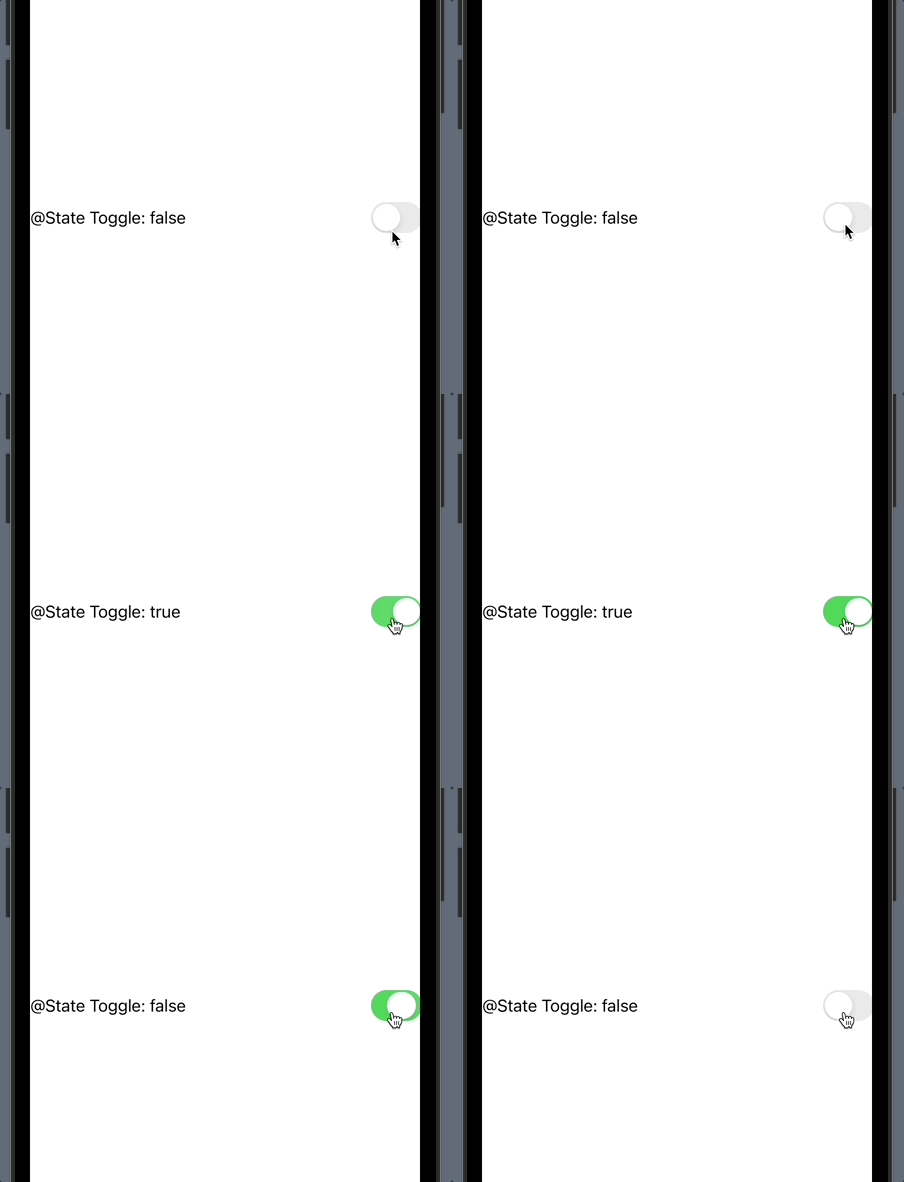
struct Toggle<Label> where Label : View- 토글을 사용할 땐, 토글이 켜져 있는지 여부를 결정하는 Bool 속성에 바인딩하여 사용
struct ContentView: View {
  @State var toggle1On = false

  var body: some View {
    VStack {
      Toggle(isOn: self.$toggle1On) {
        Text("@State Toggle: \(String(self.toggle1On))")
      }
  }
}
- Toggle 클로저에 Text가 아닌 Label 사용도 가능
Toggle(isOn: self.$toggle5On) {
  Label("Flag", systemImage: "flag.fill")
}
.toggleStyle
- Toggle 인스턴스에 접근하여 스타일을 지정해 줄 수 있는 것
- 대표적으로 3가지 스타일이 있는데 이 중에서 .automatic은 플랫폼에 따라 동적으로 달라지는 스타일
Toggle(isOn: self.$toggle2On) {
  Text("(.automatic style) @Published Toggle: \(String(self.toggle2On))")
}
.toggleStyle(.automatic)

Toggle(isOn: self.$toggle3On) {
  Text("(.button style) @Published Toggle: \(String(self.toggle3On))")
}
.toggleStyle(.button)

Toggle(isOn: self.$toggle4On) {
  Text("(.switch style) @Published Toggle: \(String(self.toggle4On))")
}
.toggleStyle(.switch)
커스텀 토글 만드는 방법

- ToggleStyle 프로토콜을 준수하는 토글을 정의
- makeBody(configuration:) -> some 메소드를 구현
import SwiftUI

struct MyToggleStyle: ToggleStyle {
  func makeBody(configuration: Configuration) -> some View {

  }
}- makeBody 인수인 configuration에서 많은 정보를 가져올 수 있기 때문에 커스텀 토글 구현이 매우 편리
- configuration.label
- configuration.isOn -> on 상태에 따라 ZStack의 alignment를 바꾸어주어 스위칭되는 것처럼 보이도록 구현
struct MyToggleStyle: ToggleStyle {
  func makeBody(configuration: Configuration) -> some View {
    HStack {
      configuration.label
      ZStack(alignment: configuration.isOn ? .trailing : .leading) {

      }
    }
  }
}- ZStack안에 RoundedRectangle을 넣어서 구현
- ZStack안에 사용하는 이유: alignment를 변경하기가 쉬움
- ZStack안의 이벤트 처리는 마지막에 추가된 UI에만 적용하면 되므로 onTapGesture처리가 간편
// 코드 출처: https://swiftui-lab.com/custom-styling/

struct MyToggleStyle: ToggleStyle {
  private let width = 60.0

  func makeBody(configuration: Configuration) -> some View {
    HStack {
      configuration.label
      ZStack(alignment: configuration.isOn ? .trailing : .leading) {
        RoundedRectangle(cornerRadius: 12)
          .frame(width: width, height: width / 2)
          .foregroundColor(configuration.isOn ? .green : .red)

        RoundedRectangle(cornerRadius: 12)
          .frame(width: (width / 2) - 4, height: width / 2 - 6)
          .padding(4)
          .foregroundColor(.white)
          .onTapGesture {
            withAnimation {
              configuration.$isOn.wrappedValue.toggle()
            }
          }
      }
    }
  }
}- 사용하는쪽
Toggle(isOn: self.$toggle6On) {
  Text("My Toggle")
}
.toggleStyle(MyToggleStyle())
* 전체 코드: https://github.com/JK0369/ExToggle-SwiftUI
* 참고
https://swiftui-lab.com/custom-styling/
https://developer.apple.com/documentation/swiftui/togglestyle