iOS 기본 (SwiftUI)
[iOS - SwiftUI] Stepper 사용 방법
jake-kim
2022. 8. 22. 21:48
Stepper

struct Stepper<Label> where Label : View- 아래 Stepper 생성자를 이용하여 구현
public init(
  @ViewBuilder label: () -> Label,
  onIncrement: (() -> Void)?,
  onDecrement: (() -> Void)?,
  onEditingChanged: @escaping (Bool) -> Void = { _ in }
)- onIncrement와 onDecrement에서 쓸 @State 프로퍼티 준비
@State private var value = 0
let colors = [
  Color.orange,
  .red,
  .gray,
  .blue,
  .green,
  .purple,
  .pink
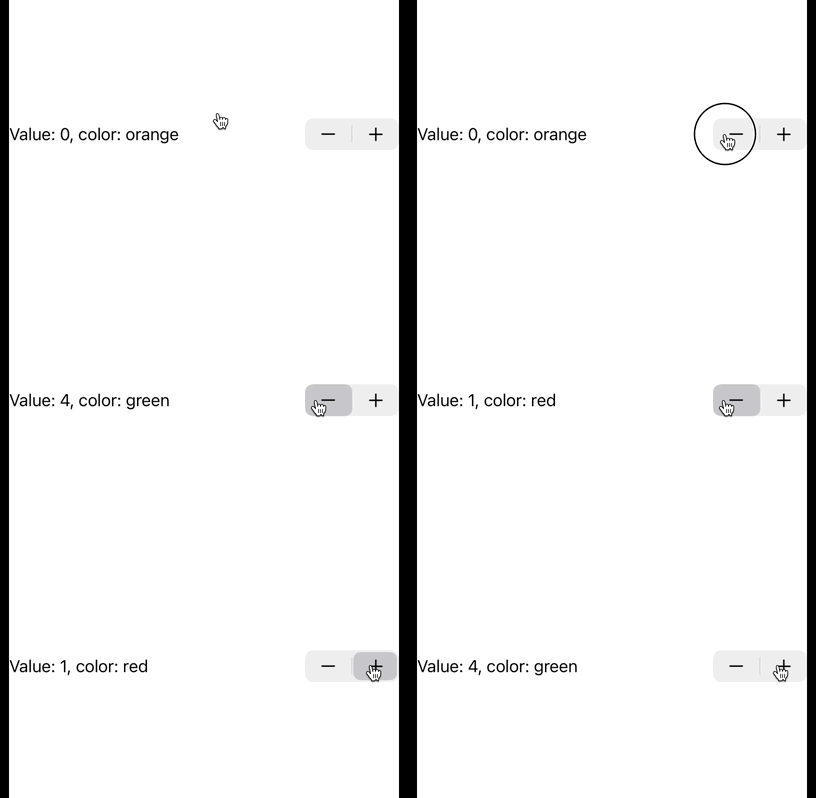
]- @ViewBuilder에는 Text를 넣어서 구현
var body: some View {
  Stepper {
    Text("Value: \(value), color: \(colors[value].description)")
  } onIncrement: {
    value += 1
    guard value >= colors.count else { return }
    value = 0
  } onDecrement: {
    value -= 1
    guard value < 0 else { return }
    value = colors.count - 1
  }
}
- 직접 value값을 컨트롤하는 onIncrement, onDecrement가 아닌 다른 방법
public init<V>(
  _ titleKey: LocalizedStringKey,
  value: Binding<V>,
  step: V.Stride = 1,
  onEditingChanged: @escaping (Bool) -> Void = { _ in }
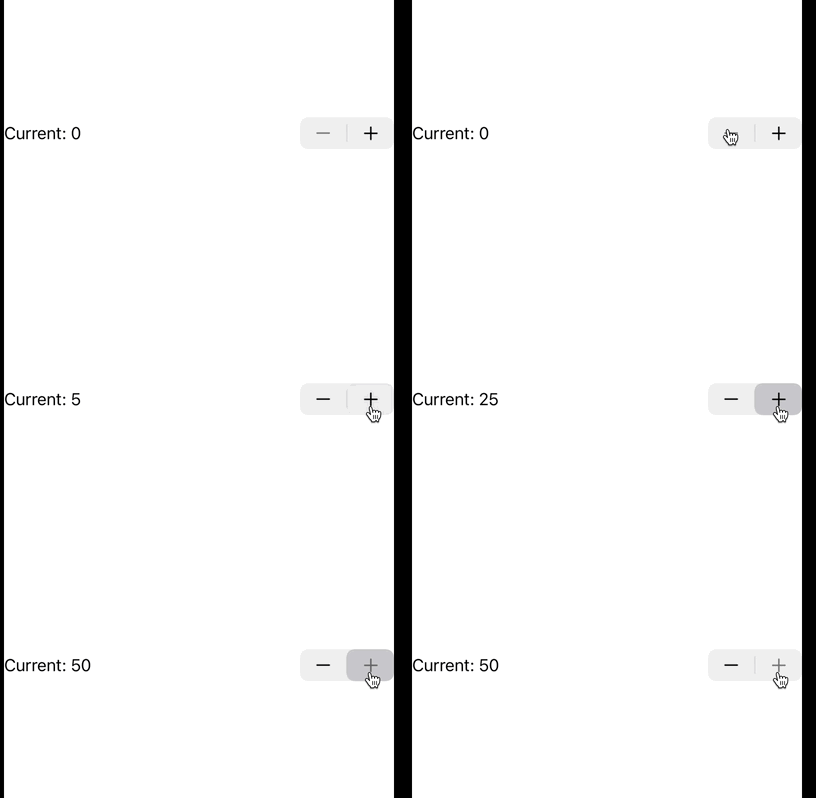
) where V : Strideable- 몇씩 올라가는지 step 값과 range값을 사용
Stepper(
  value: $value,
  in: 0...50,
  step: 5
) {
  Text("Current: \(value)")
}
* 전체 코드: https://github.com/JK0369/ExStepper-SwiftUI
* 참고
https://developer.apple.com/documentation/swiftui/stepper?changes=_2_4