iOS 기본 (SwiftUI)
[iOS - SwiftUI] Group, GroupBox, Section 사용 방법
jake-kim
2022. 8. 28. 23:26
Group

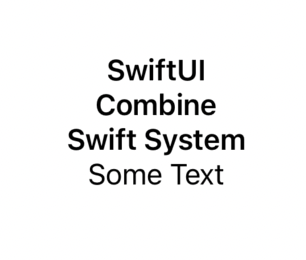
- Group은 여러개의 View 들에 동일한 속성을 부여하고 싶을때 사용

- ex) 3개의 Text에 동일한 .font를 적용하고 싶은 경우, 3개의 Text를 Group안에 넣어서 관리
struct ContentView: View {
  var body: some View {
    Group {
      Text("SwiftUI")
      Text("Combine")
      Text("Swift System")
    }
    .font(.headline)
    Text("Some Text")
  }
}
GroupBox

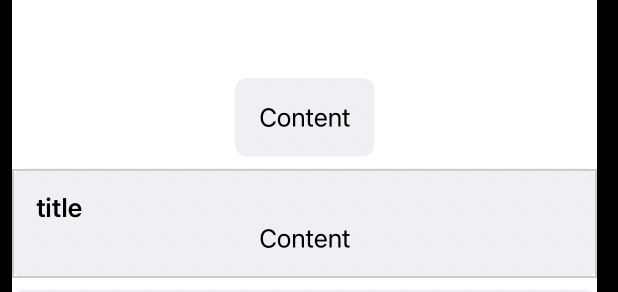
- GroupBox는 view 연관있는 내용들을 하나로 묶은 UI
GroupBox {
  Text("Content")
}
GroupBox("title") {
  Text("Content")
}
- Group안에 ScrollView도 넣고 여러가지 View들을 넣어서 활용
GroupBox(label: Label("End-User Agreement", systemImage: "building.columns")) {
  ScrollView(.vertical, showsIndicators: true) {
    Text(text)
      .font(.footnote)
  }
  .frame(height: 100)
  Toggle(isOn: $userAgreed) {
    Text("I agree to the above terms")
  }
}
Section

- collection view 안에서 계층 구조를 나타내는 컨테이너 뷰
- 매우 직관적으로 사용이 가능
- 생성자는 header와 content이며 header에는 text를 넣고 content에는 서브뷰들을 배치
| Form + Section | List + Section | Picker + Section |
 |
 |
 |
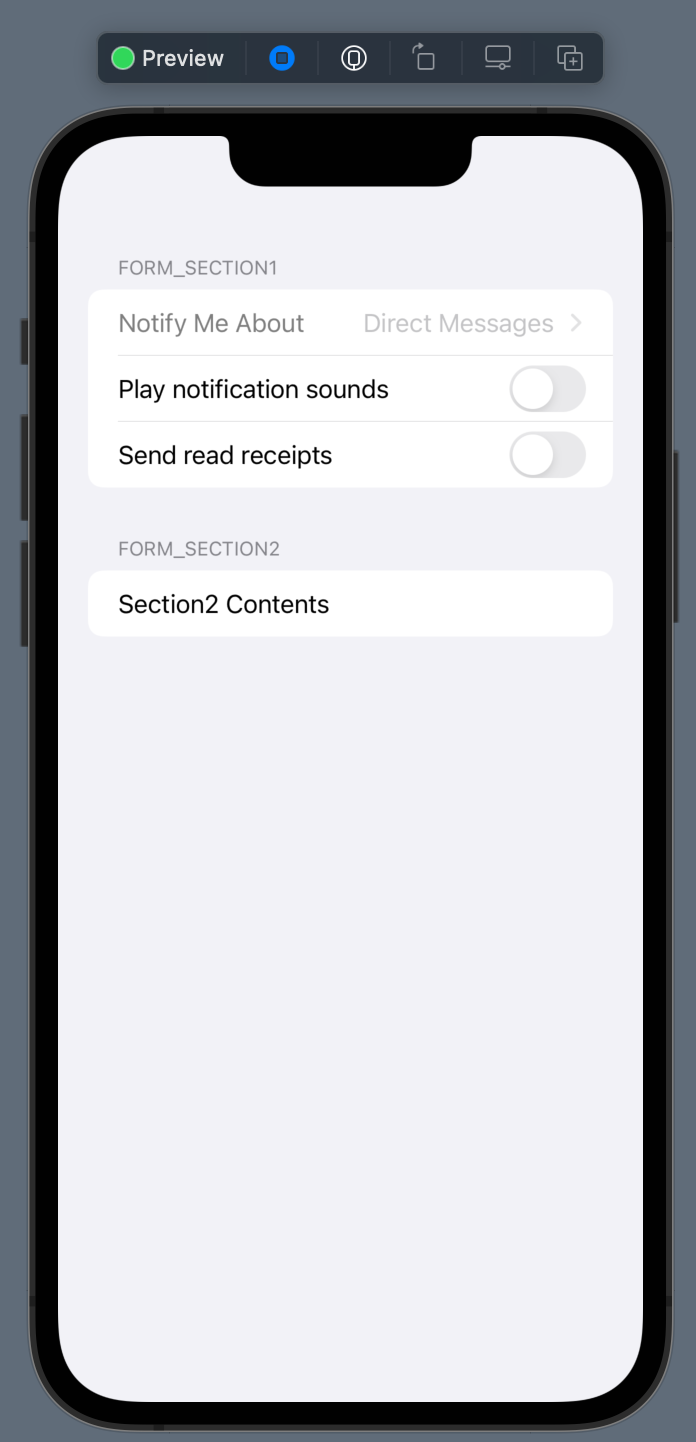
- Form + Section 코드
Form {
  Section(header: Text("Form_Section1")) {
    Picker("Notify Me About", selection: $notifyMeAbout) {
      Text("Direct Messages").tag(NotifyMeAboutType.directMessages)
      Text("Mentions").tag(NotifyMeAboutType.mentions)
      Text("Anything").tag(NotifyMeAboutType.anything)
    }
    Toggle("Play notification sounds", isOn: $playNotificationSounds)
    Toggle("Send read receipts", isOn: $sendReadReceipts)
  }

  Section(header: Text("Form_Section2")) {
    Text("Section2 Contents")
  }
}- List + Section 코드
List {
  Section("List_Section1") {
    Text("Content1")
  }
  Section("List_Section2") {
    Text("Content2")
  }
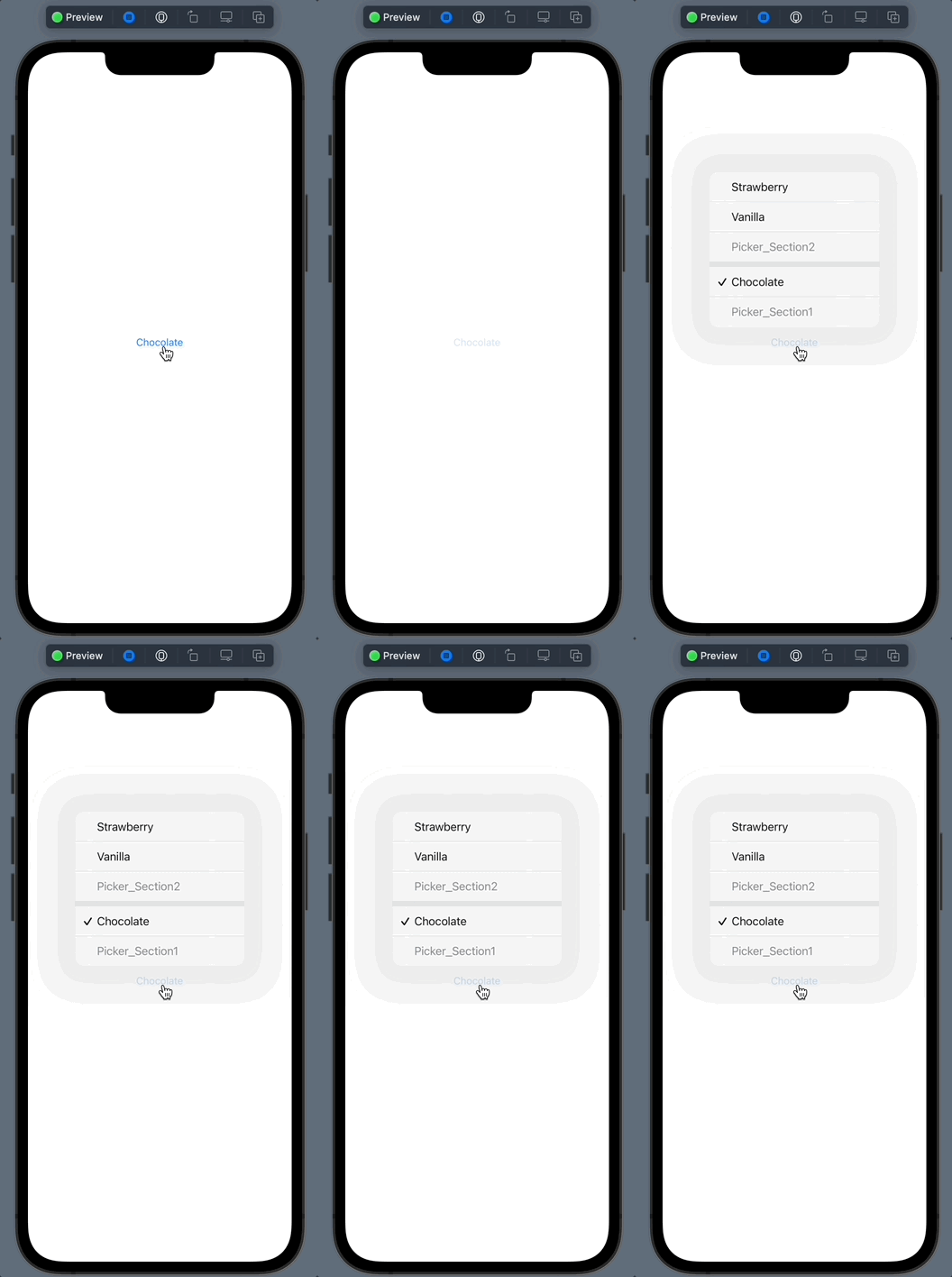
}- Picker + Section 코드
Picker("Flavor", selection: $selectedFlavor) {
  Section(header: Text("Picker_Section1")) {
    Text("Chocolate").tag(Flavor.chocolate)
  }
  Section(header: Text("Picker_Section2")) {
    Text("Vanilla").tag(Flavor.vanilla)
    Text("Strawberry").tag(Flavor.strawberry)
  }
}
* 전체 코드: https://github.com/JK0369/ExGroup
* 참고
https://developer.apple.com/documentation/swiftui/section