iOS 기본 (swift)
[iOS - swift] 14. frame과 bounds
jake-kim
2020. 6. 4. 21:45
가장 중요한 차이 : frame은 자기자신의 view를 이동, bouds는 subview들을 반대방향으로 이동
1. frame
The frame rectangle, which describes the view’s location and size in its superview’s coordinate system.
즉, super view를 기준으로 해당 뷰의 크기나 위치를 표현하는 것
- size는 view를 감싸는 크기를 정의(회전시, view의 크기는 동일할 것이지만 size는 커짐)
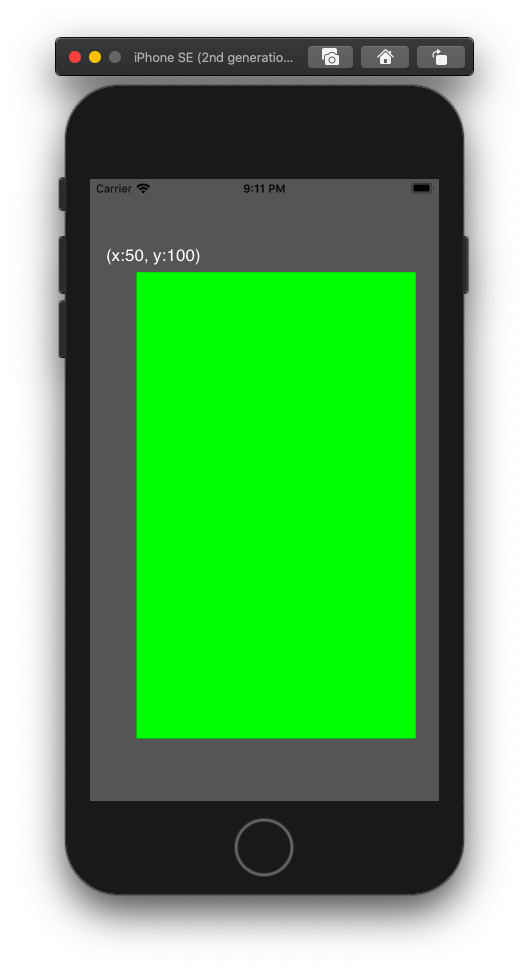
ex)
let vc = UIViewController()
vc.view.backgroundColor = .darkGray

let view1 = UIView()
view1.backgroundColor = .green
view1.frame = CGRect(x: 50, y: 100, width: 300, height: 500)
vc.view.addSubview(view1)

let view2 = UIView()
view2.backgroundColor = .red
view2.frame = CGRect(x: 0, y: 0, width: 100, height: 100)
view1.addSubview(view2)

2. bounds
The bounds rectangle, which describes the view’s location and size in its own coordinate system.
즉, 자기자신을 기준으로 해당 뷰의 크기나 위치를 표현하는 것
- size는 view 자체 크기를 의미 (회전해도 bounds로 정의한 view의 size는 변하지 않음)

bounds의 핵심은 해당 view가 이동하는 것이 아니라, subview들을 반대 방향으로 이동
ex)
위의 코드에서 view1의 bounds 추가
view1.bounds.origin.x = 10
view1.bounds.origin.y = 10
ex) 위 코드에서 vc.view.bounds추가
vc.view.bounds.origin.x = 50
vc.view.bounds.origin.y = 50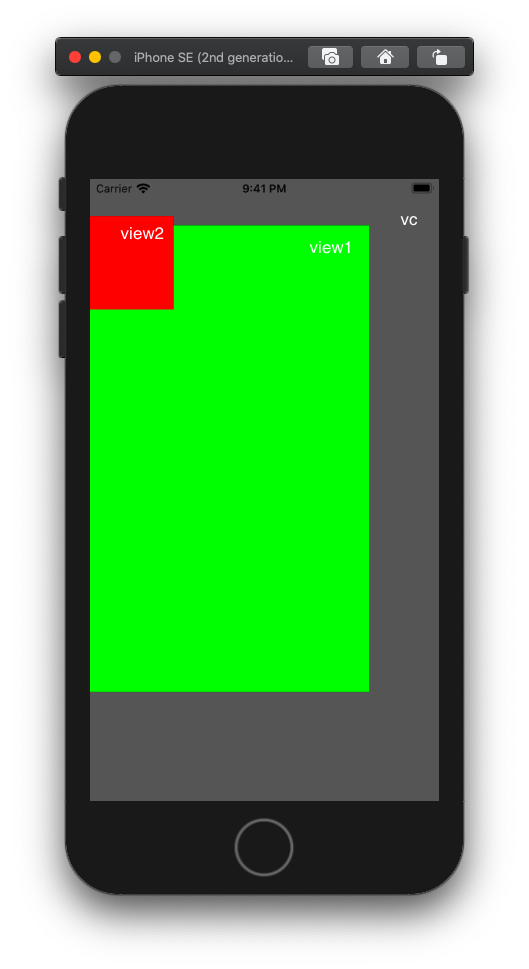
참조 : developer.apple.com/documentation/uikit/uiview/1622621-frame
developer.apple.com/documentation/uikit/uiview/1622580-bounds