iOS 기본 (SwiftUI)
[iOS - SwiftUI] Animatable, Animation, GeometryReader, withAnimation (easeIn, easeInOut, easeOut, linear) 사용 방법
jake-kim
2022. 10. 10. 21:52
Animation
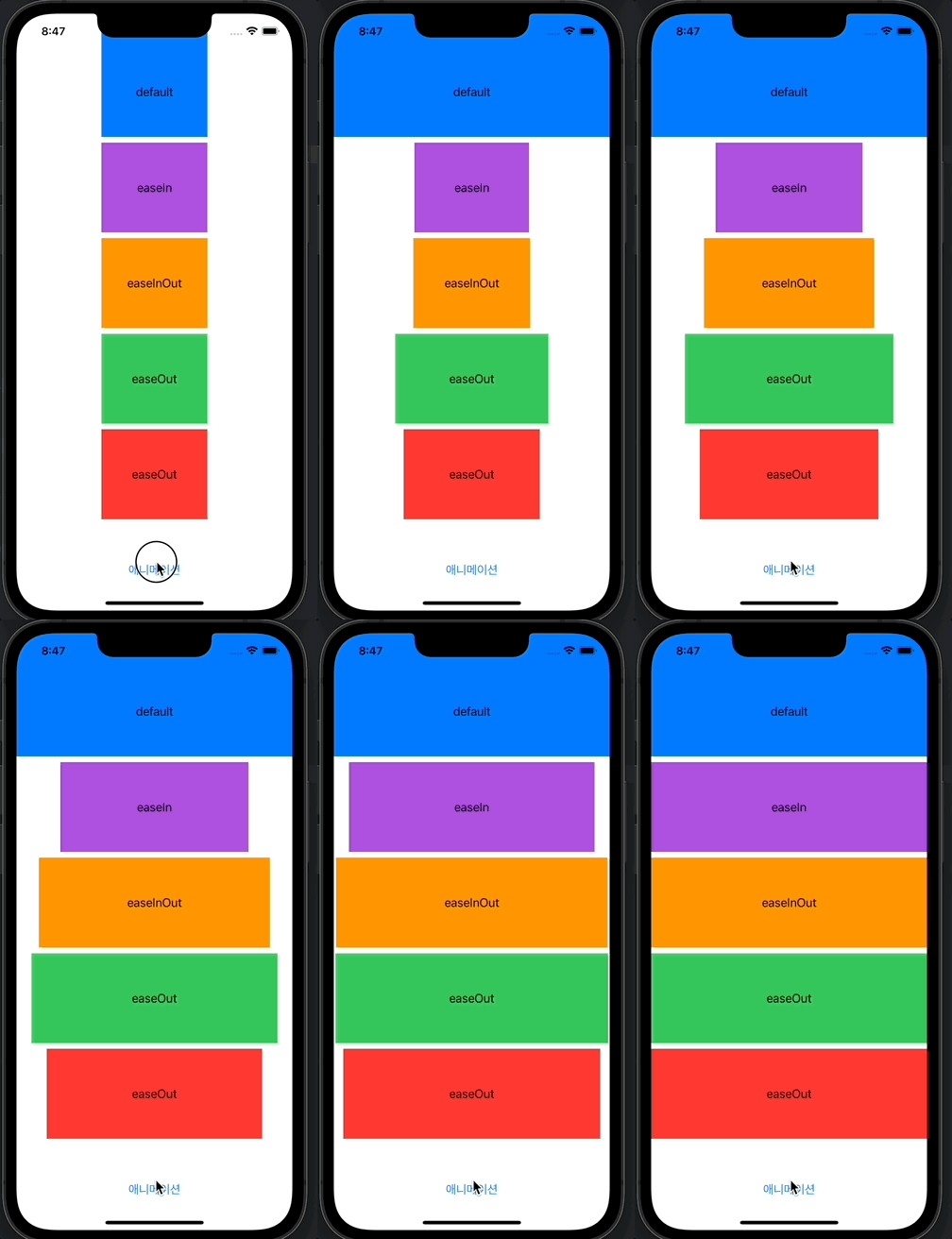
- SwiftUI에서는 withAnimation을 통하여 쉽게 애니메이션 효과 적용이 가능
- 버튼을 눌렀을때 widthAnimation()에 애니메이션 타입, duration, 애니메이션 적용할 클로저 블록만 구현하면 완료
애니메이션 적용 방법
- 애니메이션을 적용하기 전에 필요한 뷰 준비
- 모두 동일한 width로 시작
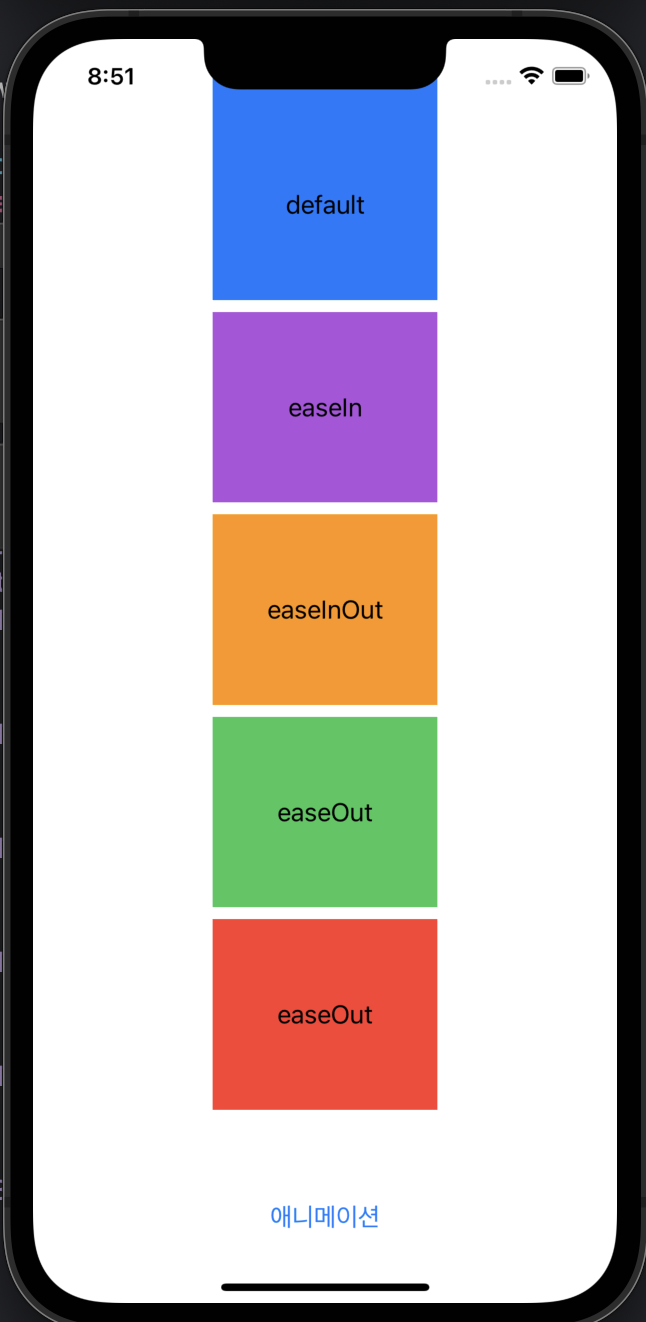
- GeometryReader를 통해 현재 영역의 width, height값을 사용
struct ContentView : View {
  private let duration = 3.0
  @State var isAnimated = false
  @State var width1 = 150.0
  @State var width2 = 150.0
  @State var width3 = 150.0
  @State var width4 = 150.0
  @State var width5 = 150.0

  var body: some View {
    GeometryReader { geometry in
      VStack {
        Text("default")
          .frame(width: width1, height: geometry.size.height / 6)
          .background(Color.blue)
        Text("easeIn")
          .frame(width: width2 , height: geometry.size.height / 6)
          .background(Color.purple)
        Text("easeInOut")
          .frame(width: width3 , height: geometry.size.height / 6)
          .background(Color.orange)
        Text("easeOut")
          .frame(width: width4 , height: geometry.size.height / 6)
          .background(Color.green)
        Text("easeOut")
          .frame(width: width5 , height: geometry.size.height / 6)
          .background(Color.red)
      }
    }
  }
}- VStack안에 애니메이션을 실행할 Button도 추가
- withAnimation(_:_:) 형태
- easeIn - 시작을 천천히
- easeInOut - 시작과 끝을 천천히
- easeOut - 끝을 천천히
- linear - 시작과 끝 균등히
- withAnimation(_:_:) 형태
Button(action: {
  defer { isAnimated.toggle() }
  if isAnimated {
    width1 = 150.0
    width2 = 150.0
    width3 = 150.0
    width4 = 150.0
    width5 = 150.0
  } else {
    withAnimation{
      width1 = geometry.size.width
    }
    withAnimation(.easeIn(duration: duration)) {
      width2 = geometry.size.width
    }
    withAnimation(.easeInOut(duration: duration)) {
      width3 = geometry.size.width
    }
    withAnimation(.easeOut(duration: duration)) {
      width4 = geometry.size.width
    }
    withAnimation(.linear(duration: duration)) {
      width5 = geometry.size.width
    }
  }
}) {
  Text("애니메이션")
}
.frame(width: geometry.size.width, height: geometry.size.height / 6)
.foregroundColor(.blue)
* 전체 코드: https://github.com/JK0369/ExAnimation
* 참고