iOS 응용 (swift)
[iOS - Swift] 2. Prevent Capture, Recording - 캡쳐 감지 방법, 녹화 감지 방법 (userDidTakeScreenshotNotification, capturedDidChangeNotification)
jake-kim
2022. 10. 14. 23:20
1. Prevent Capture, Recording - 캡쳐 막는 방법, 화면 녹화 방지 (isSecureTextEntry)
2. Prevent Capture, Recording - 캡쳐 감지 방법, 녹화 감지 방법
캡쳐와 녹화 감지 방법
* 예제 편의상 SceneDelegate 제거하고 AppDelegate만 사용
SceneDelegate 삭제 방법 포스팅 글 참고
- 감지는 NotificationCenter.default.addObserver()로 가능
- 캡쳐 감지 - UIApplication.userDidTakeScreenshotNotification
- 녹화 감지 - UIScreen.capturedDidChangeNotification
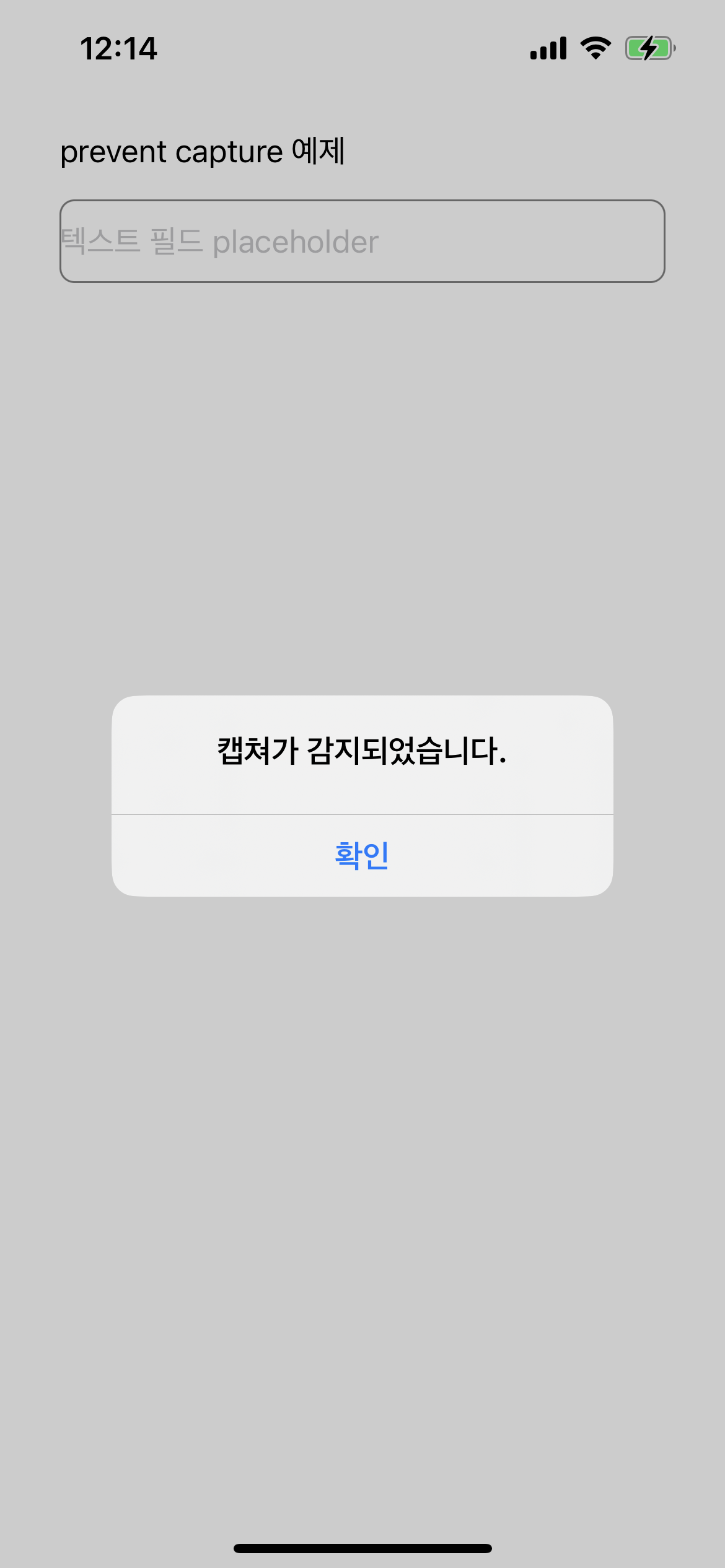
- AppDelegate에 해당 코드 사용하여 캡쳐 감지되었을때 alert띄우는 기능 구현
import UIKit

@main
class AppDelegate: UIResponder, UIApplicationDelegate {
  var window: UIWindow?

  func application(
    _ application: UIApplication,
    didFinishLaunchingWithOptions launchOptions: [UIApplication.LaunchOptionsKey: Any]?
  ) -> Bool {
    window = UIWindow(frame: UIScreen.main.bounds)
    window?.rootViewController = ViewController()
    window?.makeKeyAndVisible()

    NotificationCenter.default.addObserver(
      self,
      selector: #selector(alertCapture),
      name: UIApplication.userDidTakeScreenshotNotification,
      object: nil
    )
    NotificationCenter.default.addObserver(
      self,
      selector: #selector(alertRecoding),
      name: UIScreen.capturedDidChangeNotification,
      object: nil
    )

    return true
  }

  @objc private func alertCapture() {
    alert("캡쳐가 감지되었습니다.")
  }
  @objc private func alertRecoding() {
    alert("녹화가 감지되었습니다.")
//    window?.isHidden = UIScreen.main.isCaptured // window를 가리는 방법
  }

  private func alert(_ title: String) {
    // TODO
  }
}- alert 메소드 구현
private func alert(_ title: String) {
  let alert = UIAlertController(title: title, message: "", preferredStyle: .alert)
  let confirm = UIAlertAction(title: "확인", style: .cancel, handler: nil)
  alert.addAction(confirm)

  if var topController = self.window?.rootViewController {
    while let presentedViewController = topController.presentedViewController {
      topController = presentedViewController
    }
    DispatchQueue.main.async {
      topController.present(alert, animated: false, completion: nil)
    }
  }
}- 위처럼 구현하면, recording이 끝날때도 alert가 보여지므로 녹화가 끝났으면 alert를 안띄우는 조건이 필요
- UIScree.main.isCaptured를 이용 (true일때만 alert띄우도록 구현)
- true이면 녹화가 진행중
- false이면 녹화가 끝난것
- alertRecoding() 메소드에 guard문을 추가
  @objc private func alertRecoding() {
    guard UIScreen.main.isCaptured else { return }
    alert("녹화가 감지되었습니다.")
//    window?.isHidden = UIScreen.main.isCaptured
  }
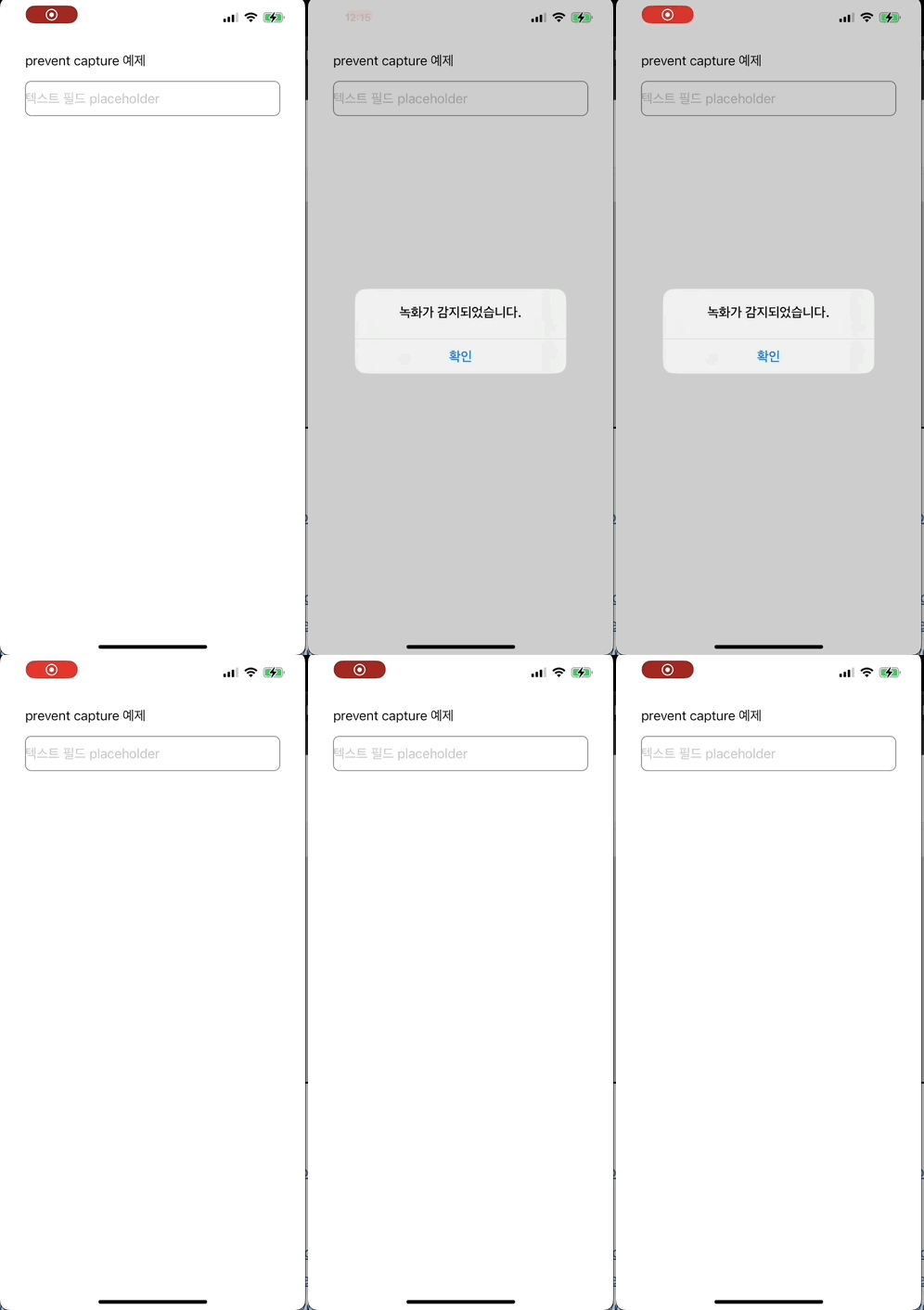
완성)
- Capture하는 경우, Recoding하는 경우 모두 alert 표출
- 주의 -
* 전체 코드: https://github.com/JK0369/ExPreventCapture
* 참고
https://developer.apple.com/documentation/uikit/uiscreen/2921652-captureddidchangenotification
https://developer.apple.com/documentation/uikit/uitextinputtraits/1624427-issecuretextentry
https://stackoverflow.com/questions/18680028/prevent-screen-capture-in-an-ios-app