iOS 응용 (swift)
[iOS - swift] UIButton 상태 애니메이션 처리 방법 (normal, highlighted, selected)
jake-kim
2023. 5. 6. 01:24
UIButton 상태 애니메이션 처리 방법
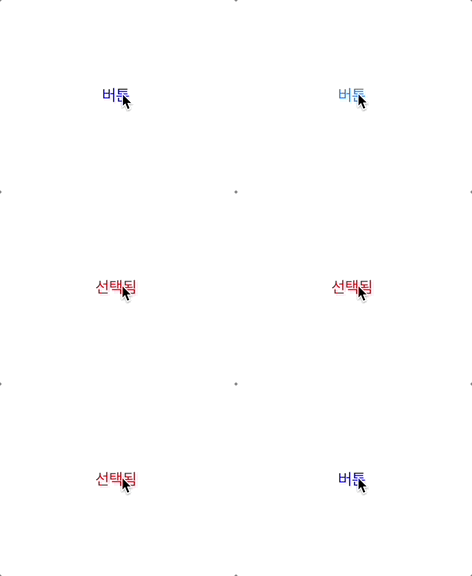
- 보통 UIButton의 highlighted 상태를 표시할 때 아래처럼 작성
- 버튼의 isSelected 상태에 따라 highlighted 색상을 매번 설정하고 있는 상태
private let button: UIButton = {
    let button = UIButton()

    button.setTitle("버튼", for: .normal)
    button.setTitle("선택됨", for: .selected)

    button.setTitleColor(.blue, for: .normal)
    button.setTitleColor(.systemBlue, for: .highlighted)

    button.setTitleColor(.red, for: .selected)

    button.translatesAutoresizingMaskIntoConstraints = false
    return button
}()

button.addTarget(self, action: #selector(tap), for: .touchUpInside)

@objc func tap() {
    button.isSelected.toggle()

    let color = button.isSelected ? UIColor.systemRed : .systemBlue
    button.setTitleColor(color, for: .highlighted)
}
- UIButton의 setTitleColor, setImage 모두 색상과 상태를 입력할 수 있는데, 상태를 배열로 넘겨서 highlighted 상태를 손쉽게 처리가 가능
button.setTitleColor(.systemBlue, for: [.normal, .highlighted])
button.setTitleColor(.systemRed, for: [.selected, .highlighted])- 상태를 배열로 넘겨주면 별도의 처리가 필요 없이 적용이 가능
private let button: UIButton = {
    let button = UIButton()

    button.setTitle("버튼", for: .normal)
    button.setTitle("선택됨", for: .selected)

    button.setTitleColor(.blue, for: .normal)
    button.setTitleColor(.systemBlue, for: [.normal, .highlighted])

    button.setTitleColor(.red, for: .selected)
    button.setTitleColor(.systemRed, for: [.selected, .highlighted])

    button.translatesAutoresizingMaskIntoConstraints = false
    return button
}()- 아래 color를 재설성하는 코드도 불필요
@objc func tap() {
    button.isSelected.toggle()

//  let color = button.isSelected ? UIColor.systemRed : .systemBlue
//  button.setTitleColor(color, for: .highlighted)
}