iOS 응용 (swift)
[iOS - swift] setContentOffset의 completion 알아보기 (#scrollViewDidEndScrollingAnimation)
jake-kim
2023. 10. 19. 01:43
setContentOffset의 completion
- setContentOffset(_:animated:) 메소드에서는 completion이 존재 x
class UIScrollView {
    open func setContentOffset(_ contentOffset: CGPoint, animated: Bool)
}- UIScrollViewDelegate의 scrollViewDidEndScrollingAnimation을 사용하여 구현
extension ViewController: UIScrollViewDelegate {
    func scrollViewDidEndScrollingAnimation(_ scrollView: UIScrollView) {
//        print("end>>")
    }
}
- 이 애니메이션은 사용자가 직접 스크롤링 했을때는 호출되지 않고, 코드로 setContentoffset(_:animated:)를 호출하고 애니메이션이 끝났을때만 호출
ex)
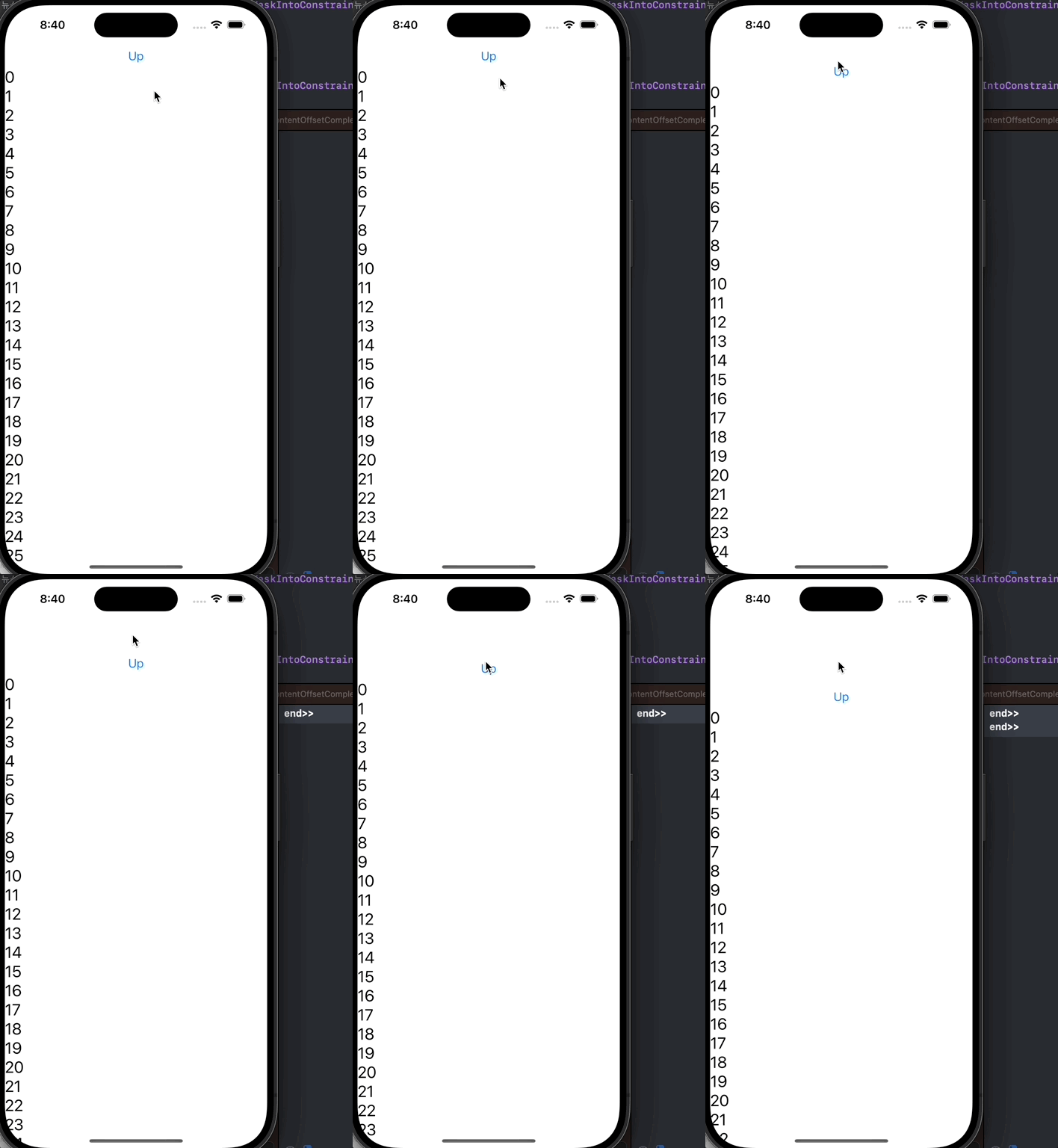
- 버튼을 눌렀을 때 스크롤뷰를 위로 올리는 코드 준비
upButton.addAction(
    UIAction(
        handler: { [weak self] _ in
            guard let self else { return }
            let currentScrollOffsetY = scrollView.contentOffset.y
            scrollView.setContentOffset(.init(x: 0, y: currentScrollOffsetY - 50), animated: true)
        }
    ), for: .touchUpInside
)- scrollViewDidEndScrollingAnimation에서 "end>>"를 print하여 setContentOffset으로 스크롤의 애니메이션이 끝났을때 출력되는지 확인
scrollView.delegate = self

...

extension ViewController: UIScrollViewDelegate {
    func scrollViewDidEndScrollingAnimation(_ scrollView: UIScrollView) {
        print("end>>")
    }
}
setContentOffset의 completion 구현 주의사항
- 예전에는 해당 메소드를 UIKit의 UIView.animate에 있는 animation 블럭에 넣고, completion에서 구현하는 방법으로 했지만 completion 동작 x
- 아래처럼 CATransaction으로 할 수 있다고 생각할 수 있지만, CATransaction과 setContentOffset를 같이 사용하면 스크롤 애니메이션이 끝나기도 전에 실행
CATransaction.begin()
CATransaction.setCompletionBlock({ print("complete!") })
scrollView.setContentOffset(.init(x: 0, y: currentScrollOffsetY - 50), animated: true)
CATransaction.commit()
* 전체 코드: https://github.com/JK0369/ExScrollViewDidEndScrollingAnimation
* 참고