iOS 응용 (swift)
[iOS - swift] 동적으로 tableView의 frame사이즈 변경 방법, intrinsicContentSize
jake-kim
2021. 4. 2. 23:06
intrinsicContentSize를 이용한 가장 간편한 방법은 해당 포스팅 글 참고
tableView
- 기본적인 tableView는 frame의 사이즈를 정해주지 않으면 constraint 에러
- top, leading, trailing을 정해주어도 height가 정해지지 않았기 때문에 오류: height 또는 bottom constraint 지정 필요
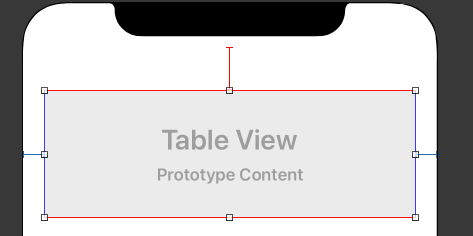
- 아래 버튼이 존재하고 constraint가 16 이상이 유지되도록 구현 방법?
- placeHolder로 레이아웃을 주고 tableView의 contentSize는 동적으로 증가하면 frame도 동적으로 증가
- 특정구간까지만 frame이 증가되도록 tableView의 하단을 greater than or equal 로 설정
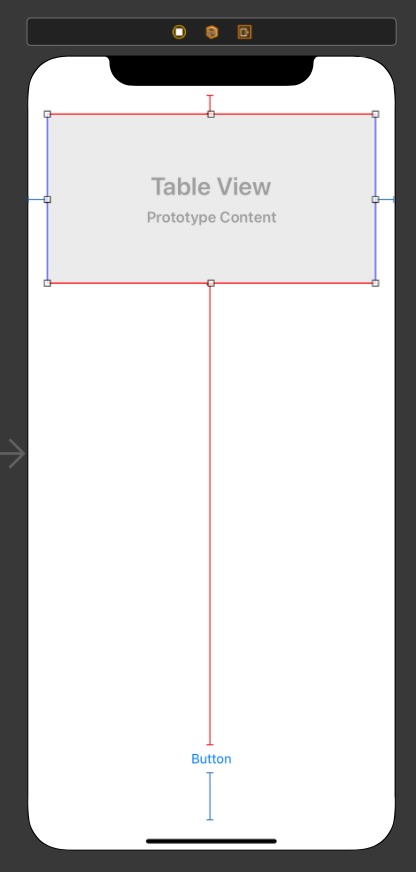
- 내부 크기에 따라 크기가 contentSize가 달라지는 tableView 생성
- 주의: reloadData를 overrding하면 경고메세지 표출 및 버그가 발생할 수 있는 경우 존재
import UIKit

class IntrinsicTableView: UITableView {
    override var intrinsicContentSize: CGSize {
        let number = numberOfRows(inSection: 0)
        var height: CGFloat = 0

        for i in 0..<number {
            guard let cell = cellForRow(at: IndexPath(row: i, section: 0)) else {
                continue
            }
            height += cell.bounds.height
        }
        return CGSize(width: contentSize.width, height: height)
    }
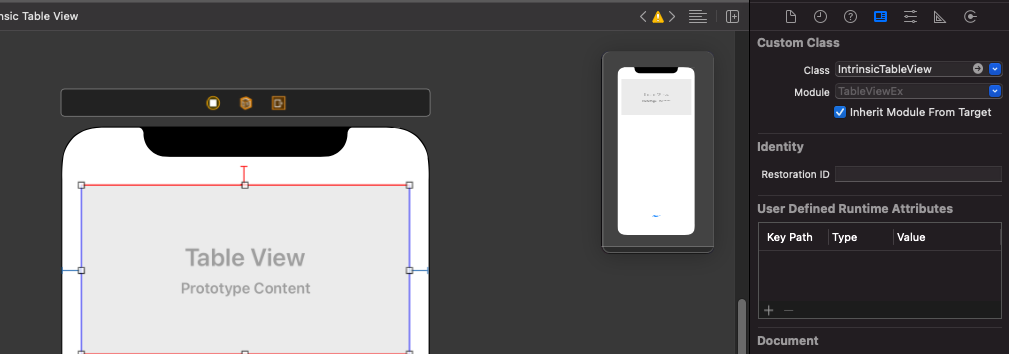
}- IntrinsicTableView로 class 지정
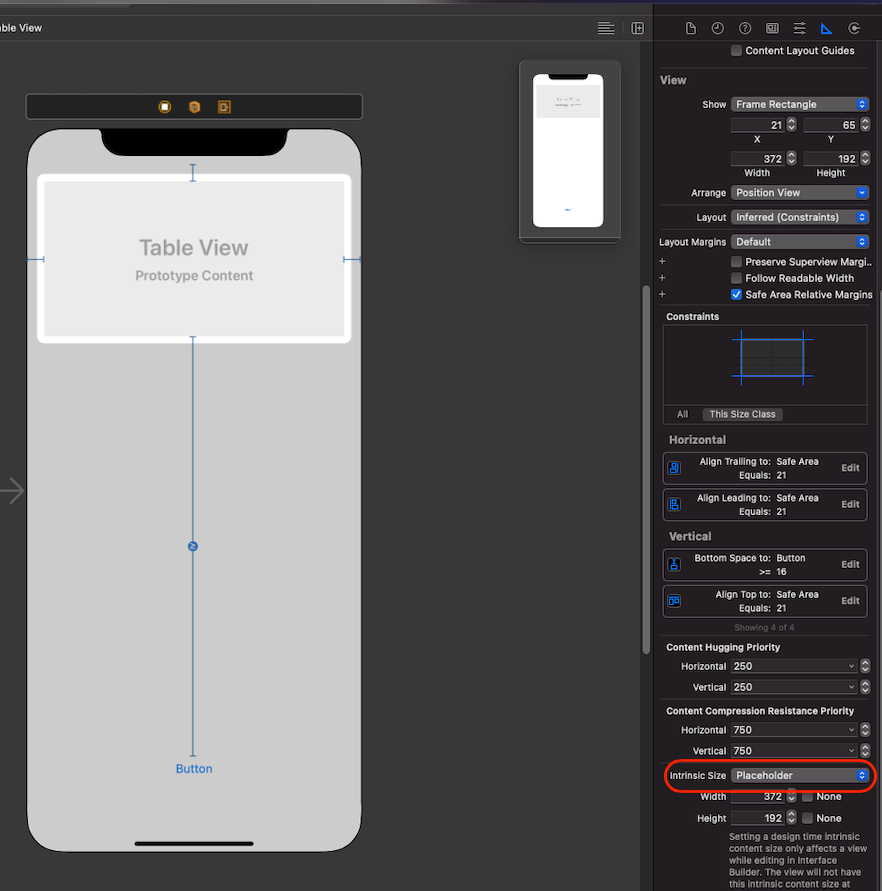
- tableView의 intrinsic Size를 수정: default(system defind) -> Placeholder
응용 - TableView밑에 문구가 있는 경우
- StackView에 intrinsicTableView와 UILabel
- stackView의 bottom constraint는 button의 top에 greater than or equal 지정 - 주의: 아래처럼 stack view에 넣을 경우 경고 메세지가 뜰수 있으므로 주의
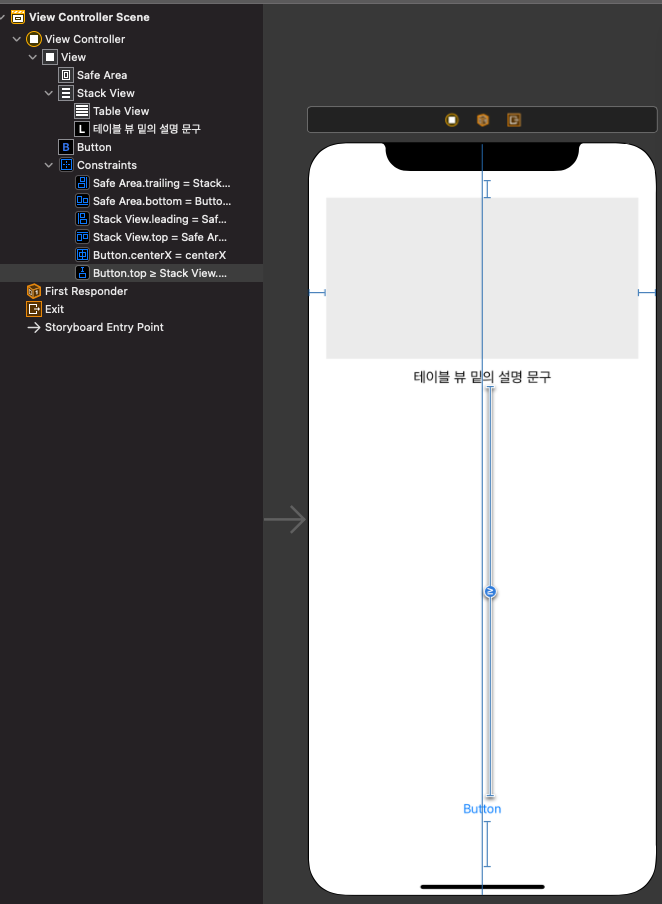
- 결과:
