iOS 응용 (swift)
[iOS - swift] HTML 특수문자 코드를 일반적인 문자열로 변경하는 방법
jake-kim
2021. 5. 26. 01:20
HTML 특수문자 코드
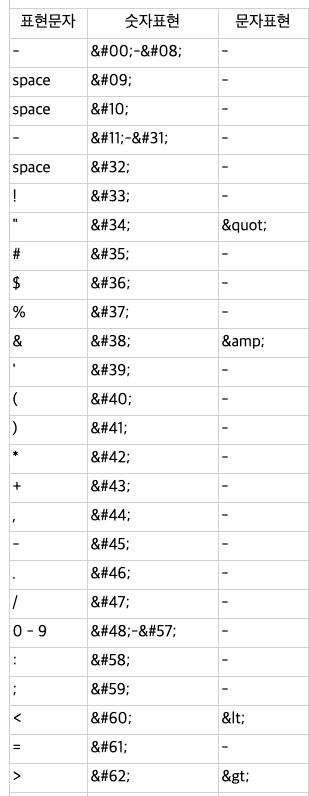
HTML코드를 표현문자로 변경
| HTML 특수문자 코드 | 변경 후 | |
| 1 | 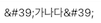 |
'가나다' |
| 2 | 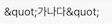 |
"가나다" |
Swift에서 변경 방법
- String extension으로 추가
extension String {

    init?(htmlEncodedString: String) {

        guard let data = htmlEncodedString.data(using: .utf8) else {
            return nil
        }

        let options: [NSAttributedString.DocumentReadingOptionKey: Any] = [
            .documentType: NSAttributedString.DocumentType.html,
            .characterEncoding: String.Encoding.utf8.rawValue
        ]

        guard let attributedString = try? NSAttributedString(data: data, options: options, documentAttributes: nil) else {
            return nil
        }

        self.init(attributedString.string)

    }

}
- 결과

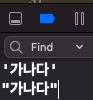
* 참고
http://kor.pe.kr/util/4/charmap2.htm
https://stackoverflow.com/questions/25607247/how-do-i-decode-html-entities-in-swift