iOS 실전 (swift)/UI 커스텀(프로그래밍적 접근)
[iOS - UI Custom] 14. slide-out bar (side bar)만들기 (CGAffineTransform사용)
jake-kim
2020. 5. 1. 02:52

1. 원리
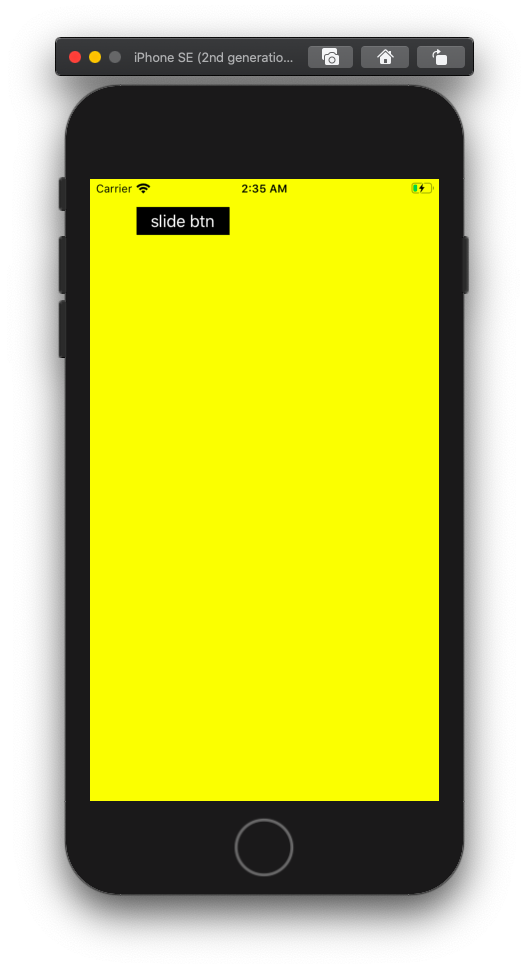
최상단 뷰는 yellow, 바로 밑의 뷰는 blue
핵심은 blue.frame = CGRect(x: -view.frame.width, y:0, width: view.frame.width, hieght: view.frame.height), 35번라인
yellow.addSubview(blue), 36번라인
2. 뷰 이동
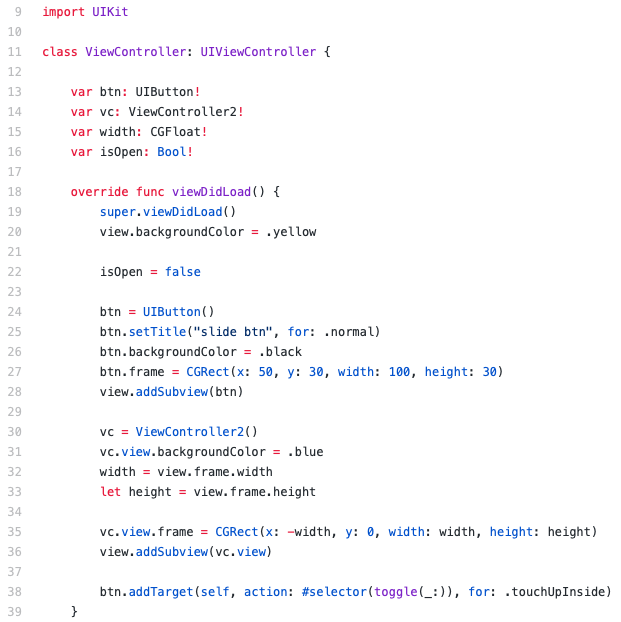
CGAffineTransform이용
"translationX: 10" 의미는 기존의 x좌표(이동 한 좌표가 아님)를 x = x+10 하라는 의미
48번라인 주의
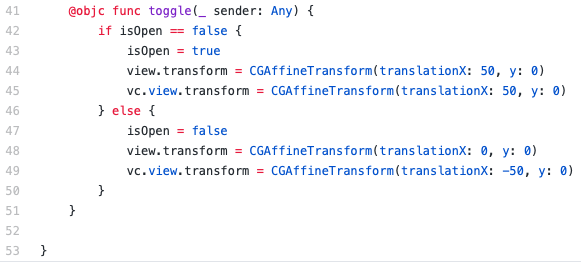
※ 48라인에서 translatationX: -50이면 다음과 같은 결과 발생

* 되돌릴 경우 간편하게 .identity사용 가능

* 애니메이션 효과 삽입 UIView.animate(withDuration: delay: usinSpringWithDamping: intialSpringVelocity: options: animations: completion:)

3. 제스쳐 사용
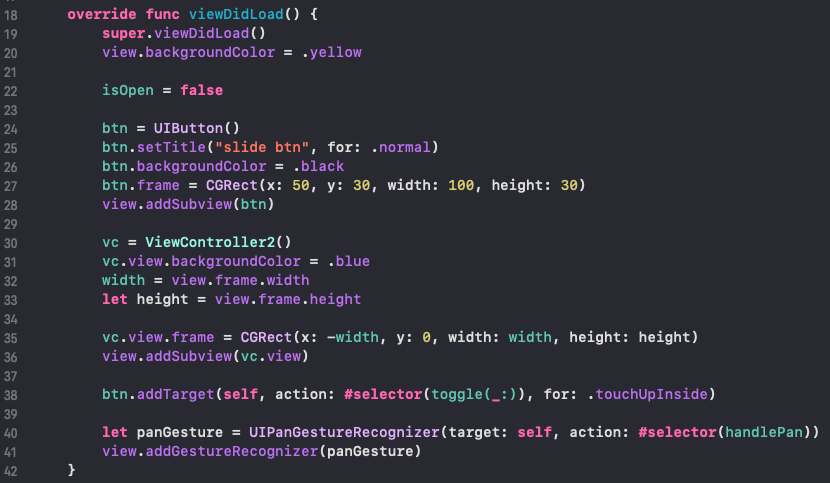
1) 뷰에 제츠쳐 등록 : UIPanGestureRecognizer(target:action:), 40~41번라인
2) 이벤트 처리
- UIPanGestureRecognizer의 객체 속성인 translation(in: view)을 가지고 드래그 이동 거리를 가지고 구현, 45번라인
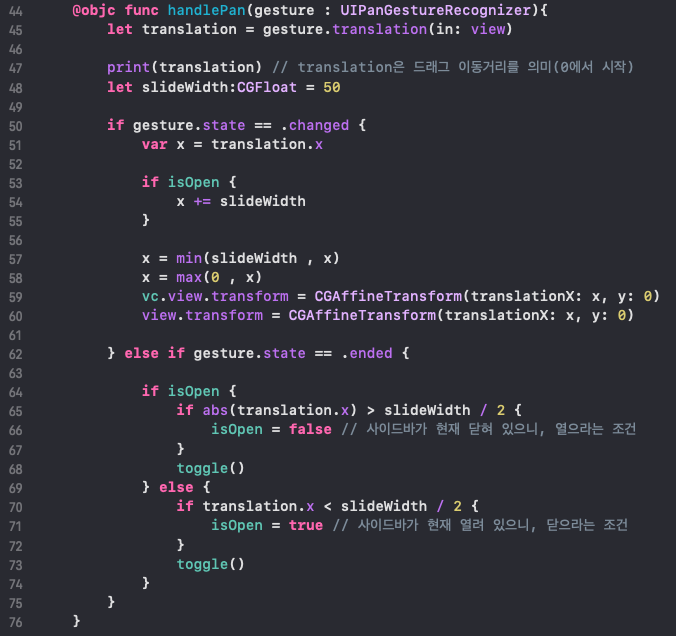
* full source code : https://github.com/JK0369/simple-Slide-Out-View-slide-bar