iOS 응용 (swift)
[iOS - swift] Pull down to dismiss (아래로 당겨서 dismiss하기), UIPanGestureRecognizer
jake-kim
2022. 2. 22. 23:24
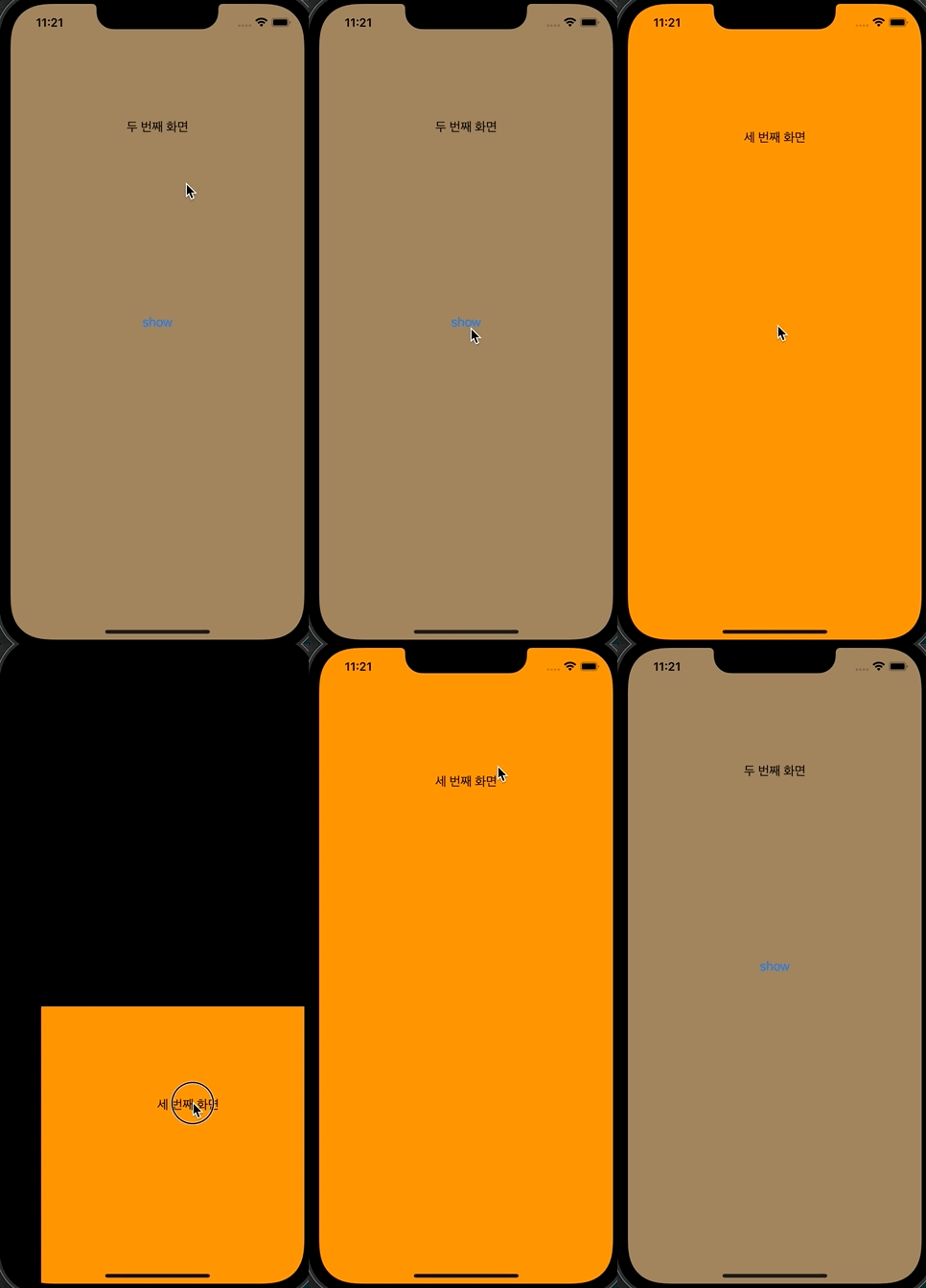
구현 아이디어
- 아래로 당겨서 dismiss되는 UIViewController를 상속받은 `ViewControllerPannable` 클래스 정의
class ViewControllerPannable: UIViewController {} - 내부에서 UIPanGestureRecognizer 제스처 등록
override func viewDidLoad() { super.viewDidLoad() let panGestureRecognizer = UIPanGestureRecognizer(target: self, action: #selector(panGestureAction(_:))) self.view.addGestureRecognizer(panGestureRecognizer) } @objc func panGestureAction(_ panGesture: UIPanGestureRecognizer) { } - panGestureAction 메소드 구현
- panGesture의 state를 보고 각 행동 정의
switch panGesture.state { case .began: case .changed: case .ended: }
- .began
- 전역에 originalPosition: CGPoint를 선언해 놓고 pan을 시작할때의 view.center를 기록 (ended 상태에서 되돌릴때 사용)
self.originalPosition = view.center
- 전역에 originalPosition: CGPoint를 선언해 놓고 pan을 시작할때의 view.center를 기록 (ended 상태에서 되돌릴때 사용)
- .changed:
- view의 origin을 계속해서 변경 (translation값 이용)
let translation = panGesture.translation(in: view) self.view.frame.origin = CGPoint(x: translation.x, y: translation.y)
- view의 origin을 계속해서 변경 (translation값 이용)
- .ended:
- 가속도 velocity를 보고 가속도가 1500이상이면 (밑으로 pull down을 빠르게 한 경우), dismiss
- 1500이하이면 originalPosition으로 다시 center를 조정
guard let originalPosition = self.originalPosition else { return } let velocity = panGesture.velocity(in: view) guard velocity.y >= 1500 else { UIView.animate(withDuration: 0.2, animations: { self.view.center = originalPosition }) return } UIView.animate( withDuration: 0.2, animations: { self.view.frame.origin = CGPoint( x: self.view.frame.origin.x, y: self.view.frame.size.height ) }, completion: { (isCompleted) in if isCompleted { self.dismiss(animated: false, completion: nil) } } ) default: return
- .began
* 전체 코드)
import UIKit

class ViewControllerPannable: UIViewController {
  private var originalPosition: CGPoint?

  override func viewDidLoad() {
    super.viewDidLoad()

    let panGestureRecognizer = UIPanGestureRecognizer(target: self, action: #selector(panGestureAction(_:)))
    self.view.addGestureRecognizer(panGestureRecognizer)
  }

  @objc func panGestureAction(_ panGesture: UIPanGestureRecognizer) {
    switch panGesture.state {
    case .began:
      self.originalPosition = view.center
    case .changed:
      let translation = panGesture.translation(in: view)
      self.view.frame.origin = CGPoint(x: translation.x, y: translation.y)
    case .ended:
      guard let originalPosition = self.originalPosition else { return }
      let velocity = panGesture.velocity(in: view)
      guard velocity.y >= 1500 else {
        UIView.animate(withDuration: 0.2, animations: {
          self.view.center = originalPosition
        })
        return
      }

      UIView.animate(
        withDuration: 0.2,
        animations: {
          self.view.frame.origin = CGPoint(
            x: self.view.frame.origin.x,
            y: self.view.frame.size.height
          )
        },
        completion: { (isCompleted) in
          if isCompleted {
            self.dismiss(animated: false, completion: nil)
          }
        }
      )
      default:
      return
    }
  }
}
* 사용하는 쪽
import UIKit

class VC3: ViewControllerPannable {

}
* 전체 코드: https://github.com/JK0369/ExPullDown
*참고
https://stackoverflow.com/questions/29290313/in-ios-how-to-drag-down-to-dismiss-a-modal