iOS 응용 (swift)
[iOS - swift] 로컬 푸시 (local notification)
jake-kim
2021. 3. 21. 15:07
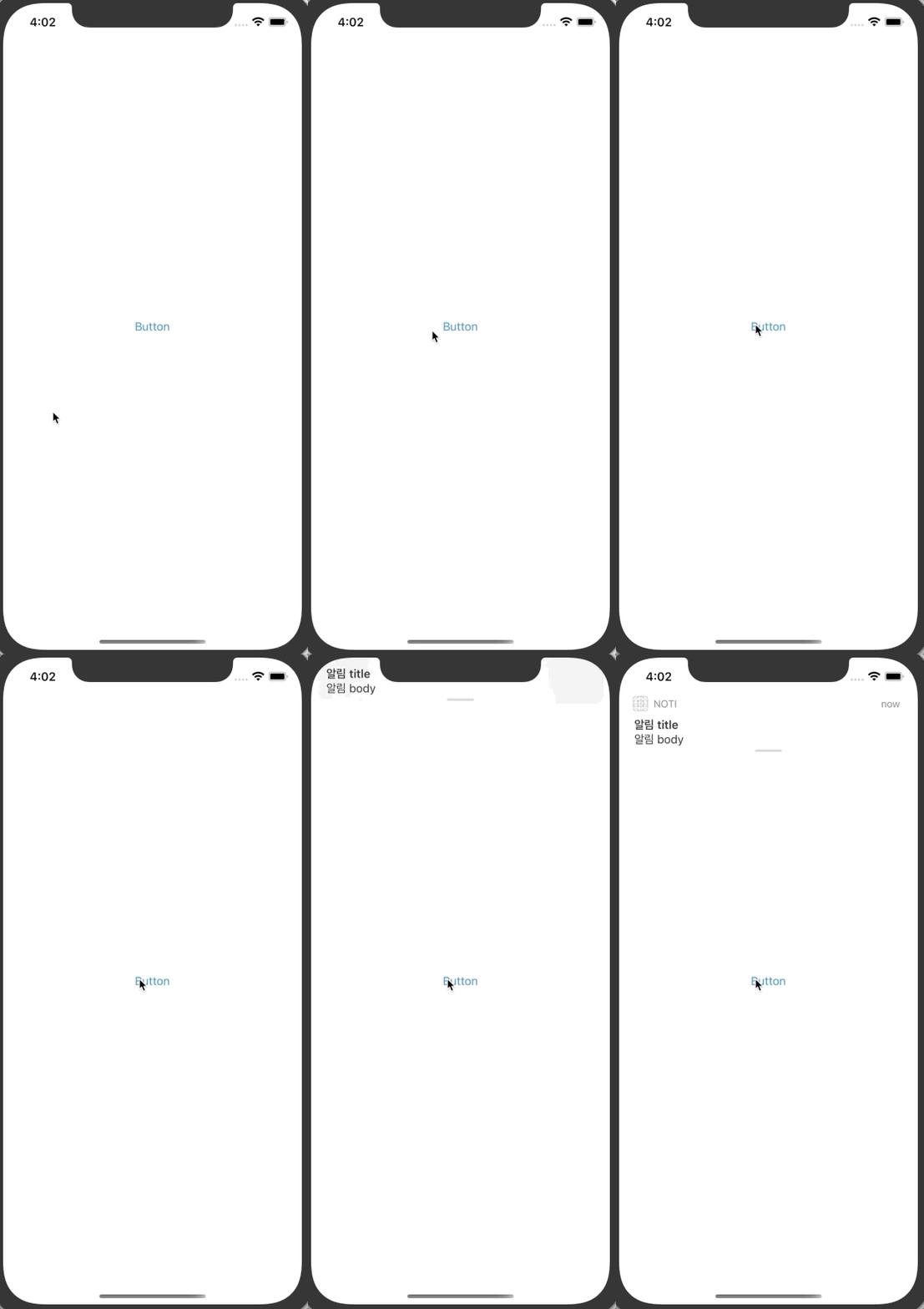
푸시의 종류
- 로컬 푸시(local notification): 앱으로부터 push를 앱에 띄우는 것
- 서버 푸시(remote notification): 서버로부터 push를 앱에 띄우는 것 - ios-development.tistory.com/264
푸시 권한 요청
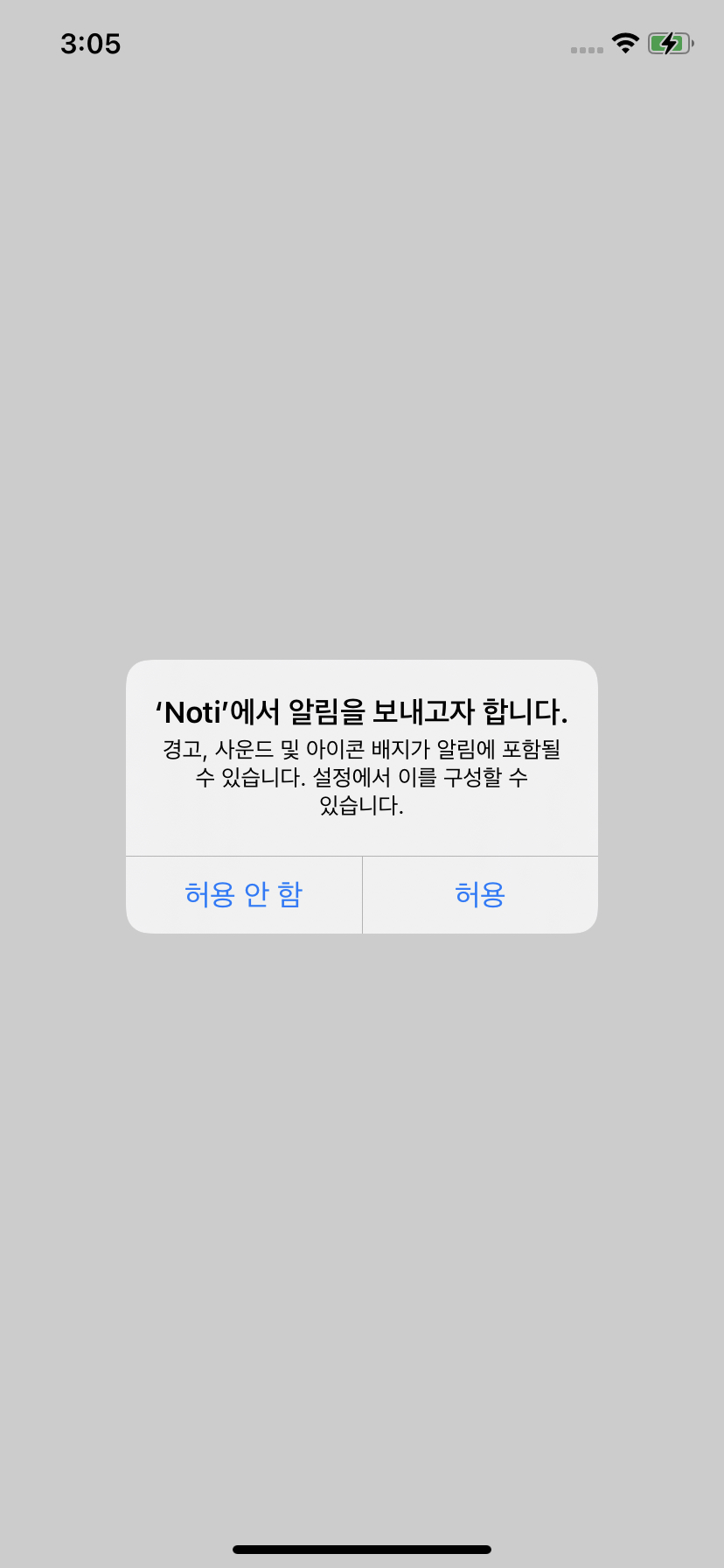
- 푸시를 다루는 객체는 `UNUserNotificationCenter`의 싱글톤 객체 활용
class ViewController: UIViewController {

    let userNotiCenter = UNUserNotificationCenter.current() // 추가

    override var viewDidLoad() {
        super.viewDidLoad()
    }

}- 사용자에게 알림 권한 요청을 하는 메소드 추가: UNAuthorizationOptions 객체로 요청
class ViewController: UIViewController {

    let userNotiCenter = UNUserNotificationCenter.current()

    override var viewDidLoad() {
        super.viewDidLoad()
    }

    // 사용자에게 알림 권한 요청
    func requestAuthNoti() {
        let notiAuthOptions = UNAuthorizationOptions(arrayLiteral: [.alert, .badge, .sound])
        userNotiCenter.requestAuthorization(options: notiAuthOptions) { (success, error) in
            if let error = error {
                print(#function, error)
            }
        }
    }

}
푸시 내용 전송
- 알림을 전송하는 메소드 추가: Content, Trigger, Request 객체를 이용
- trigger객체는 날짜, 지역 등을 설정할 수 있는 기능 존재
class ViewController: UIViewController {

    let userNotiCenter = UNUserNotificationCenter.current()

    override func viewDidLoad() {
        super.viewDidLoad()

        requestAuthNoti()
        requestSendNoti(seconds: 3)
    }

    // 사용자에게 알림 권한 요청
    func requestAuthNoti() {
        let notiAuthOptions = UNAuthorizationOptions(arrayLiteral: [.alert, .badge, .sound])
        userNotiCenter.requestAuthorization(options: notiAuthOptions) { (success, error) in
            if let error = error {
                print(#function, error)
            }
        }
    }

    // 알림 전송
    func requestSendNoti(seconds: Double) {
        let notiContent = UNMutableNotificationContent()
        notiContent.title = "알림 title"
        notiContent.body = "알림 body"
        notiContent.userInfo = ["targetScene": "splash"] // 푸시 받을때 오는 데이터

        // 알림이 trigger되는 시간 설정
        let trigger = UNTimeIntervalNotificationTrigger(timeInterval: seconds, repeats: false)

        let request = UNNotificationRequest(
            identifier: UUID().uuidString,
            content: notiContent,
            trigger: trigger
        )

        userNotiCenter.add(request) { (error) in
            print(#function, error)
        }

    }

}
- noti의 delegate는 AppDelegate에 구현
: 특정 ViewController에 구현되어 있으면 푸시를 받지 못할 가능성이 있으므로 AppDelegate에서 구현
@main
class AppDelegate: UIResponder, UIApplicationDelegate {

    func application(_ application: UIApplication, didFinishLaunchingWithOptions launchOptions: [UIApplication.LaunchOptionsKey: Any]?) -> Bool {
        UNUserNotificationCenter.current().delegate = self // <- 추가
        return true
    }

}

// 추가
extension AppDelegate: UNUserNotificationCenterDelegate {
    func userNotificationCenter(_ center: UNUserNotificationCenter,
                                willPresent notification: UNNotification,
                                withCompletionHandler completionHandler: @escaping (UNNotificationPresentationOptions) -> Void) {
        completionHandler([.alert, .badge, .sound])
    }

    func userNotificationCenter(_ center: UNUserNotificationCenter,
                                didReceive response: UNNotificationResponse,
                                withCompletionHandler completionHandler: @escaping () -> Void) {

        // deep link처리 시 아래 url값 가지고 처리
        let url = response.notification.request.content.userInfo

        completionHandler()
    }
}
* 주의: xcode의 있는 디폴트로 지정된 provisioning profile에서는 푸시가 안오는 버그가 있으므로, device보다는 simulator에서 테스트