
Notice
Recent Posts
Recent Comments
Link
| 일 | 월 | 화 | 수 | 목 | 금 | 토 |
|---|---|---|---|---|---|---|
| 1 | ||||||
| 2 | 3 | 4 | 5 | 6 | 7 | 8 |
| 9 | 10 | 11 | 12 | 13 | 14 | 15 |
| 16 | 17 | 18 | 19 | 20 | 21 | 22 |
| 23 | 24 | 25 | 26 | 27 | 28 | 29 |
| 30 | 31 |
Tags
- 스위프트
- Human interface guide
- ios
- HIG
- 클로드코드
- 클린 코드
- map
- Observable
- swiftUI
- tableView
- swift documentation
- 리펙토링
- UICollectionView
- uitableview
- 리팩토링
- uiscrollview
- RxCocoa
- rxswift
- collectionview
- combine
- claude code
- Protocol
- MVVM
- UITextView
- Refactoring
- Clean Code
- Xcode
- 애니메이션
- SWIFT
- clean architecture
Archives
- Today
- Total
김종권의 iOS 앱 개발 알아가기
[iOS - swift] Instrument 결과물 trace파일 분석, xml 파일로 추출 방법 (xctrace export) 본문
최적화하기
[iOS - swift] Instrument 결과물 trace파일 분석, xml 파일로 추출 방법 (xctrace export)
jake-kim 2025. 11. 26. 01:47.trace 파일
- Instruments를 통해 나오는 .trace 파일은
자주쓰는 xctrace export 옵션
- --list
- trace 파일 내부에 어떤 데이터들이 들어있는지 전체 목록을 보여줌 (schema 이름들을 확인이 가능)
- xctrace export --input test1.trace --list
- 예)
- time-sample
- signpost
- process
- thread-state
- system-calls
- memory
- call-tree
- --toc
- Trace Table of Contents(Toc)를 XML로 바로 출력
- xctrace export --input test1.trace --toc 이걸 보면 전체 구조를 한눈에 확인 가능
- --xpath
- 특정 부분만 필터링하기 위한 고급 옵션
ex)
- signpost 데이터만 추출: --xpath '//table[@schema="point-of-interest"]'
- 특정 이벤트 이름 필터: --xpath '//event[@name="MyCustomSignpost"]'
Insturments의 time profiler에서 데이터 추출해보기
- Insturments 실행
- Xcode 오픈 > cmd + I
- Instruments의 time profiler 선택
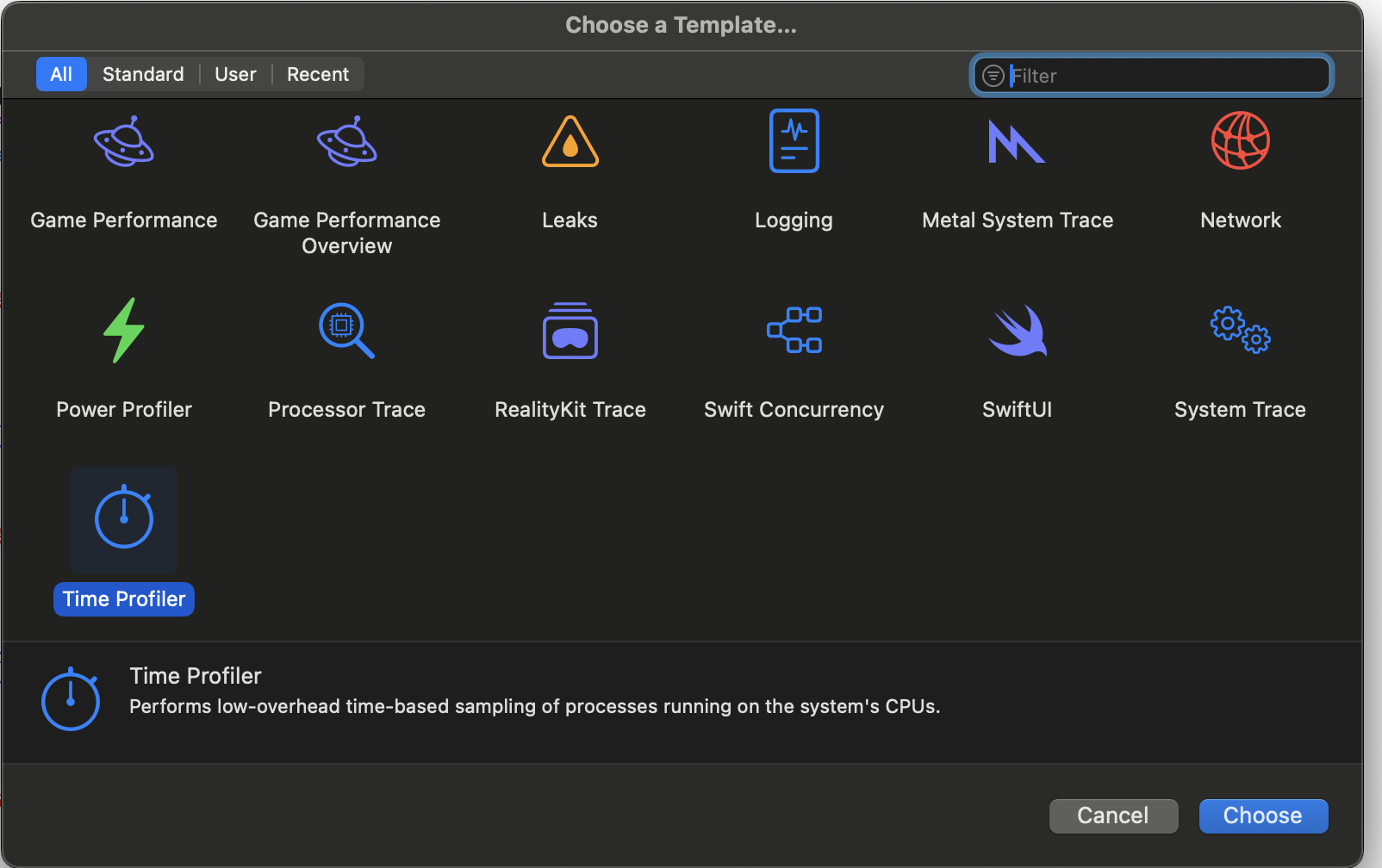
- 좌측상단 녹화 버튼을 눌러서 실행
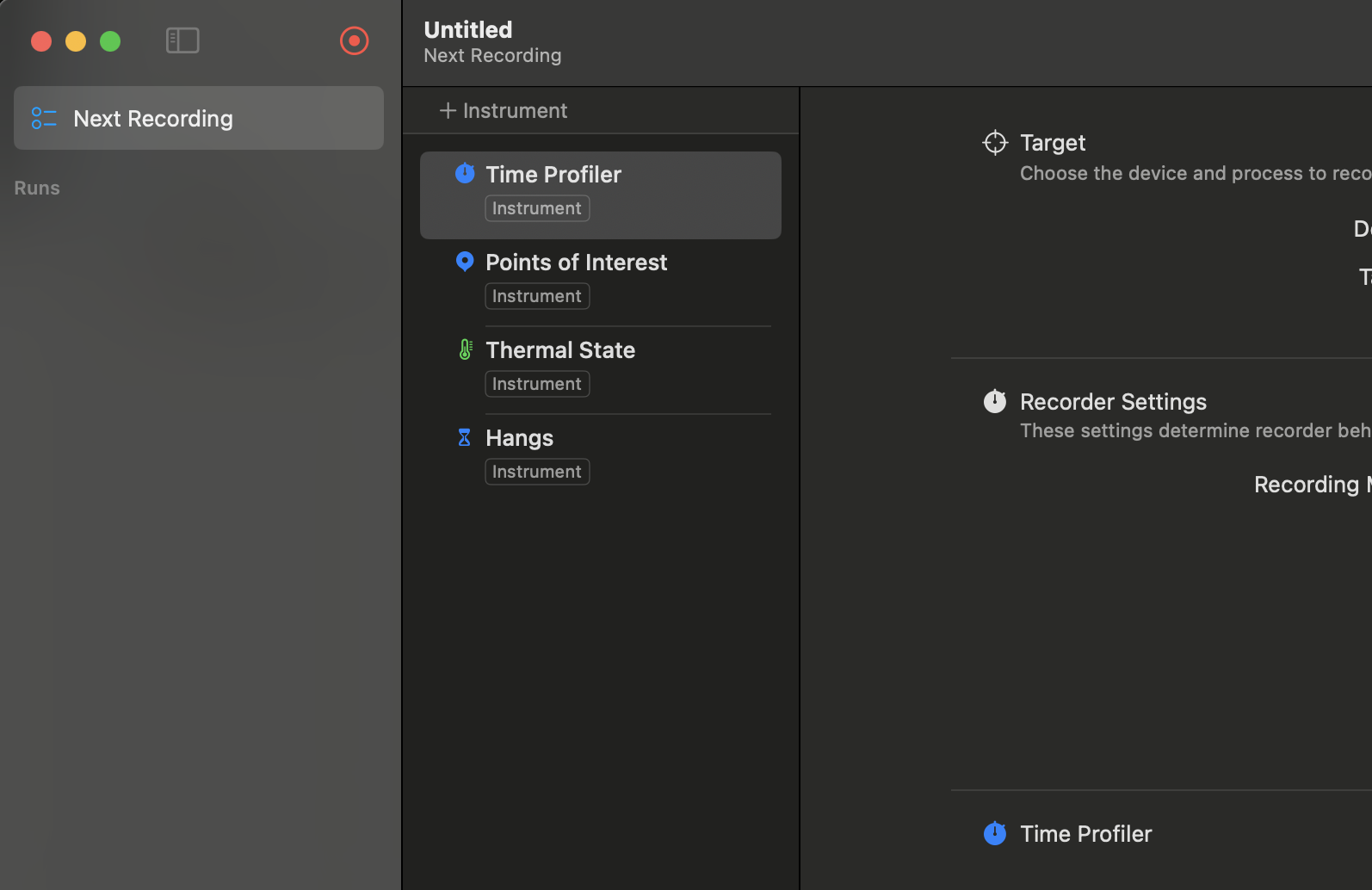
- 확인하고 싶은 부분을 테스트 폰에서 실행해본 후, instruments에서 중지 버튼 클릭 > instruments를 닫으면 test1으로 저장
- 이 test1을 가지고 time sample을 뽑아보기
- * time-sample: Time Profiler가 일정 간격으로 CPU 스택을 찍어서 만든 "Raw Samples" 데이터
# Time Profiler에서 수집된 "raw CPU 샘플(time-sample)" 데이터만 .trace 파일에서 추출해 XML로 저장하는 명령어
xctrace export --input test1.trace --xpath '/trace-toc/run/data/table[@schema="time-sample"]' --output time-sample.xml- 추출된 time-sample.xml을 실행시켜보면 정보가 등장
- time sample 말 그대로, 시간별로 뽑은 것들의 결과값이 나옴
<?xml version="1.0"?>
<trace-query-result>
<node xpath='//trace-toc[1]/run[1]/data[1]/table[3]'><schema name="time-sample"><col><mnemonic>time</mnemonic><name>Timestamp</name><engineering-type>sample-time</engineering-type></col><col><mnemonic>thread</mnemonic><name>Thread</name><engineering-type>thread</engineering-type></col><col><mnemonic>core-index</mnemonic><name>Core Index</name><engineering-type>core</engineering-type></col><col><mnemonic>thread-state</mnemonic><name>Thread State</name><engineering-type>thread-state</engineering-type></col><col><mnemonic>cp-kernel-callstack</mnemonic><name>Kernel Callstack ID</name><engineering-type>kperf-bt</engineering-type></col><col><mnemonic>cp-user-callstack</mnemonic><name>User Callstack ID</name><engineering-type>kperf-bt</engineering-type></col><col><mnemonic>sample-type</mnemonic><name>Sample type</name><engineering-type>time-sample-kind</engineering-type></col></schema><row><sample-time id="1" fmt="00:00.372.885">372885208</sample-time><thread id="2" fmt="Main Thread 0xc229 (Performance1, pid: 2875)"><tid id="3" fmt="0xc229">49705</tid><process id="4" fmt="Performance1 (2875)"><pid id="5" fmt="2875">2875</pid><device-session id="6" fmt="TODO">TODO</device-session></process></thread><sentinel/><thread-state id="7" fmt="Blocked">Blocked</thread-state><sentinel/><kperf-bt id="8" fmt="PC:0x1052f47c0, 1 frames, 0 regs, pid: 2875"><text-addresses id="9" fmt="frag 799">4381951936</text-addresses><text-address id="10" fmt="0x1052f47c0">4381951936</text-address><process ref="4"/></kperf-bt><time-sample-kind id="11" fmt="Stackshot">3</time-sample-kind></row>
<row><sample-time ref="1"/><thread ref="2"/><sentinel/><thread-state ref="7"/><sentinel/><kperf-bt ref="8"/><time-sample-kind ref="11"/></row>
<row><sample-time id="12" fmt="00:00.413.780">413780375</sample-time><thread ref="2"/><core id="13" fmt="CPU 5">5</core><thread-state id="14" fmt="Running">Running</thread-state><sentinel/><kperf-bt id="15" fmt="PC:0x1052f2c04, 19 frames, 1 regs, pid: 2875"><text-addresses id="16" fmt="frag 5329">4378756604 4378696628 4378654252 4378651164 4378618192 4378650264 4378652064 4378683412 4378831396 4378824096 4378830696 4378682744 4378597104 4378596164 4381968536 4381963076 4381962712 4381961036 0</text-addresses><text-address id="17" fmt="0x1052f2c04">4381944836</text-address><process ref="4"/><register-content id="18" fmt="0x104ff4044">4378804292</register-content></kperf-bt><time-sample-kind id="19" fmt="Timer Fired">0</time-sample-kind></row>
...
<row><sample-time id="2409" fmt="00:03.943.780">3943780041</sample-time><thread ref="509"/><core ref="240"/><thread-state ref="14"/><sentinel/><kperf-bt ref="1926"/><time-sample-kind ref="19"/></row>
<row><sample-time id="2410" fmt="00:03.944.778">3944778916</sample-time><thread ref="509"/><core ref="240"/><thread-state ref="14"/><sentinel/><kperf-bt ref="2139"/><time-sample-kind ref="19"/></row>
<row><sample-time id="2411" fmt="00:03.945.780">3945780458</sample-time><thread ref="509"/><core ref="323"/><thread-state ref="14"/><sentinel/><kperf-bt ref="1926"/><time-sample-kind ref="19"/></row>
<row><sample-time id="2412" fmt="00:03.947.779">3947779250</sample-time><thread ref="509"/><core ref="13"/><thread-state ref="14"/><sentinel/><kperf-bt id="2413" fmt="PC:0x1970593f4, 11 frames, 1 regs, pid: 2875"><text-addresses ref="921"/><text-address ref="2146"/><process ref="4"/><register-content ref="2147"/></kperf-bt><time-sample-kind ref="19"/></row>
<row><sample-time id="2414" fmt="00:03.948.779">3948779458</sample-time><thread ref="509"/><core ref="13"/><thread-state ref="14"/><sentinel/><kperf-bt id="2415" fmt="PC:0x1970583a8, 16 frames, 1 regs, pid: 2875"><text-addresses ref="2387"/><text-address ref="391"/><process ref="4"/><register-content ref="387"/></kperf-bt><time-sample-kind ref="19"/></row>
<row><sample-time id="2416" fmt="00:03.949.779">3949779958</sample-time><thread ref="509"/><core ref="240"/><thread-state ref="14"/><sentinel/><kperf-bt id="2417" fmt="PC:0x197059278, 34 frames, 1 regs, pid: 2875"><text-addresses id="2418" fmt="frag 6876">6828688312 6828680388 6828336324 6828673252 6828665960 6828688100 6828679012 7578375508 7578378520 7578379392 7578375240 7578374900 7578283052 7578280924 7578378536 7578379392 7578375240 7578374900 7578283052 7578280924 7578378536 7578379392 7578375240 7578374900 7578283052 7578280924 7578378536 7578385764 6444364976 6444476452 6444334424 6444336400 4377979792 4377975180</text-addresses><text-address ref="951"/><process ref="4"/><register-content ref="387"/></kperf-bt><time-sample-kind ref="19"/></row>
<row><sample-time id="2419" fmt="00:07.247.782">7247782291</sample-time><thread ref="2"/><core ref="447"/><thread-state ref="14"/><sentinel/><kperf-bt id="2420" fmt="PC:0x1051c4b70, 34 frames, 1 regs, pid: 2875"><text-addresses id="2421" fmt="frag 8147">4380740648 4380708568 6443621400 6443619872 6443619304 6443366520 6444364976 6444276492 6444276100 6443364636 6443433384 6443431928 6443422148 6443435012 6543765396 6444364976 6444276492 6576072508 6576068460 6446961884 6446961700 6446959536 6446955908 6446935588 6749886908 6545603644 6545620580 7934333500 7934332804 7931750860 4377788496 4378596304 4381961112 0</text-addresses><text-address ref="381"/><process ref="4"/><register-content ref="382"/></kperf-bt><time-sample-kind ref="19"/></row>
<row><sample-time id="2422" fmt="00:28.042.779">28042779958</sample-time><thread ref="2"/><core ref="13"/><thread-state ref="14"/><sentinel/><kperf-bt id="2423" fmt="PC:0x1800aef68, 21 frames, 1 regs, pid: 2875"><text-addresses id="2424" fmt="frag 9467">6448065688 6447321988 6495968380 6444321556 6444364976 6444479648 6444319516 6444318316 6446960656 6446957032 6446935588 6749886908 6545603644 6545620580 7934333500 7934332804 7931750860 4377788496 4378596304 4381961112 0</text-addresses><text-address id="2425" fmt="0x1800aef68">6443167592</text-address><process ref="4"/><register-content id="2426" fmt="0x180091e14">6443048468</register-content></kperf-bt><time-sample-kind ref="19"/></row>
<row><sample-time id="2427" fmt="00:50.779.780">50779780083</sample-time><thread id="2428" fmt="Performance1 0xcbd4 (Performance1, pid: 2875)"><tid id="2429" fmt="0xcbd4">52180</tid><process ref="4"/></thread><core ref="240"/><thread-state ref="14"/><sentinel/><kperf-bt ref="419"/><time-sample-kind ref="19"/></row>
<row><sample-time id="2430" fmt="00:58.435.779">58435779958</sample-time><thread id="2431" fmt="Performance1 0xcd65 (Performance1, pid: 2875)"><tid id="2432" fmt="0xcd65">52581</tid><process ref="4"/></thread><core ref="126"/><thread-state ref="14"/><sentinel/><kperf-bt id="2433" fmt="PC:0x104f8876c, 12 frames, 1 regs, pid: 2875"><text-addresses id="2434" fmt="frag 10618">6446876424 6446876264 6448042820 6448062604 6444255144 6444364976 6444293160 6444295912 6444340532 6444338292 4377979852 4377975180</text-addresses><text-address ref="687"/><process ref="4"/><register-content id="2435" fmt="0x104f2916c">4377973100</register-content></kperf-bt><time-sample-kind ref="19"/></row>
<row><sample-time id="2436" fmt="02:17.107.781">137107781291</sample-time><thread id="2437" fmt="Performance1 0xd37a (Performance1, pid: 2875)"><tid id="2438" fmt="0xd37a">54138</tid><process ref="4"/></thread><core ref="126"/><thread-state ref="14"/><sentinel/><kperf-bt ref="419"/><time-sample-kind ref="19"/></row>
</node></trace-query-result>- row 하나 해석해보기
- kberf-bt가 중요한 데이터
<row><sample-time id="2410" fmt="00:03.944.778">3944778916</sample-time><thread ref="509"/><core ref="240"/><thread-state ref="14"/><sentinel/><kperf-bt ref="2139"/><time-sample-kind ref="19"/></row>
| sample-time | 3.944초 지점에서 찍힌 샘플 |
| thread | thread 509가 실행 중 |
| core | CPU 코어 4 (ref=240) |
| thread-state | Running |
| kperf-bt | 이 순간의 콜스택 (핵심 데이터) |
| sample-kind | Timer Fired |
즉)
앱이 실행된 지 약 3.944초가 지났을 때(Time Profiler 샘플링 순간),
스레드 509(아마 Main Thread 또는 Worker Thread)가
CPU 4번 코어에서 Running 상태였고,
그 시점의 콜스택은 Backtrace ID 2139에 기록됐다.
이 샘플은 Timer Fired 이벤트로 찍혔다.- 이 데이터를 가지고 시간이 많이 걸린 부분을 유의미한 데이터 파악이 위해서 아래와 같은 과정이 필요
- time-sample 데이터를 읽어서, 같은 Backtrace(kperf-bt ID) 또는 같은 함수 주소(symbol)로 그룹화 → 샘플 개수를 세면 → 가장 많이 찍힌 함수 = 가장 오래 걸린 부분
- 가장 많이 찍힌 함수가 왜 가장 오래걸렸는지 파악할 수 있는지?
- Time Profiler는 함수가 “얼마나 오래 실행됐는지” 직접 측정하지 않음
- 대신, 일정한 시간 간격(예: 1ms)에 한 번씩 CPU의 현재 스택을 찍기 때문에 카운트를 통해 오래걸렸는지 파악이 가능
'최적화하기' 카테고리의 다른 글
Comments