
Notice
Recent Posts
Recent Comments
Link
| 일 | 월 | 화 | 수 | 목 | 금 | 토 |
|---|---|---|---|---|---|---|
| 1 | ||||||
| 2 | 3 | 4 | 5 | 6 | 7 | 8 |
| 9 | 10 | 11 | 12 | 13 | 14 | 15 |
| 16 | 17 | 18 | 19 | 20 | 21 | 22 |
| 23 | 24 | 25 | 26 | 27 | 28 | 29 |
| 30 | 31 |
Tags
- combine
- uiscrollview
- swiftUI
- 스위프트
- ios
- 리펙토링
- HIG
- SWIFT
- Clean Code
- 클린 코드
- UITextView
- tableView
- map
- uitableview
- 클로드코드
- UICollectionView
- Observable
- Protocol
- Human interface guide
- 리팩토링
- Xcode
- Refactoring
- claude code
- 애니메이션
- swift documentation
- collectionview
- MVVM
- rxswift
- RxCocoa
- clean architecture
Archives
- Today
- Total
김종권의 iOS 앱 개발 알아가기
[iOS - SwfitUI] 탭했을 때 키보드 내리는 법 (simultaneousGesture를 쓸때 주의할 점) 본문
iOS 응용 (SwiftUI)
[iOS - SwfitUI] 탭했을 때 키보드 내리는 법 (simultaneousGesture를 쓸때 주의할 점)
jake-kim 2025. 12. 17. 01:24탭했을 때 키보드 내리기
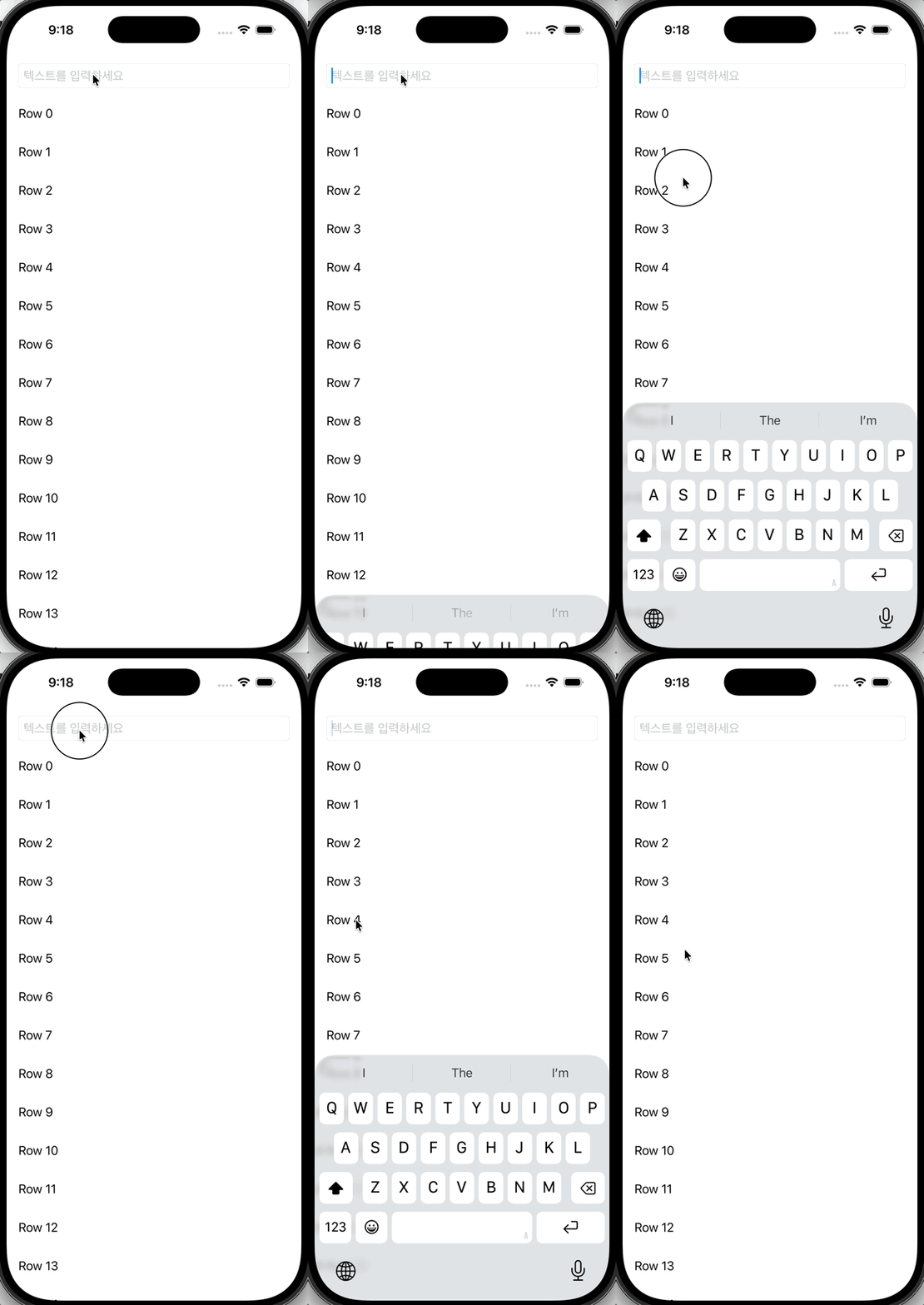
- 다른 제스처도 동시에 동작하게끔 하기 위해 보통 아래처럼 simultaneousGesture를 사용하여 tapGesture 이벤트를 얻어서 isFocused = false로 처리
struct ContentView: View {
    @State private var text: String = ""
    @FocusState private var isFocused: Bool

    var body: some View {
        ScrollView {
            VStack(spacing: 16) {
                TextField("텍스트를 입력하세요", text: $text)
                    .textFieldStyle(.roundedBorder)
                    .focused($isFocused)

                ...
            }
            .padding()
        }
        .simultaneousGesture(
            TapGesture().onEnded {
                isFocused = false
            }
        )
        .simultaneousGesture(
            DragGesture().onChanged { _ in
                isFocused = false
            }
        )
    }
}- 하지만 simultaneousGesture를 사용하면 아래처럼 자기 자신의 텍스트필드를 탭했을때도 키보드가 내려감
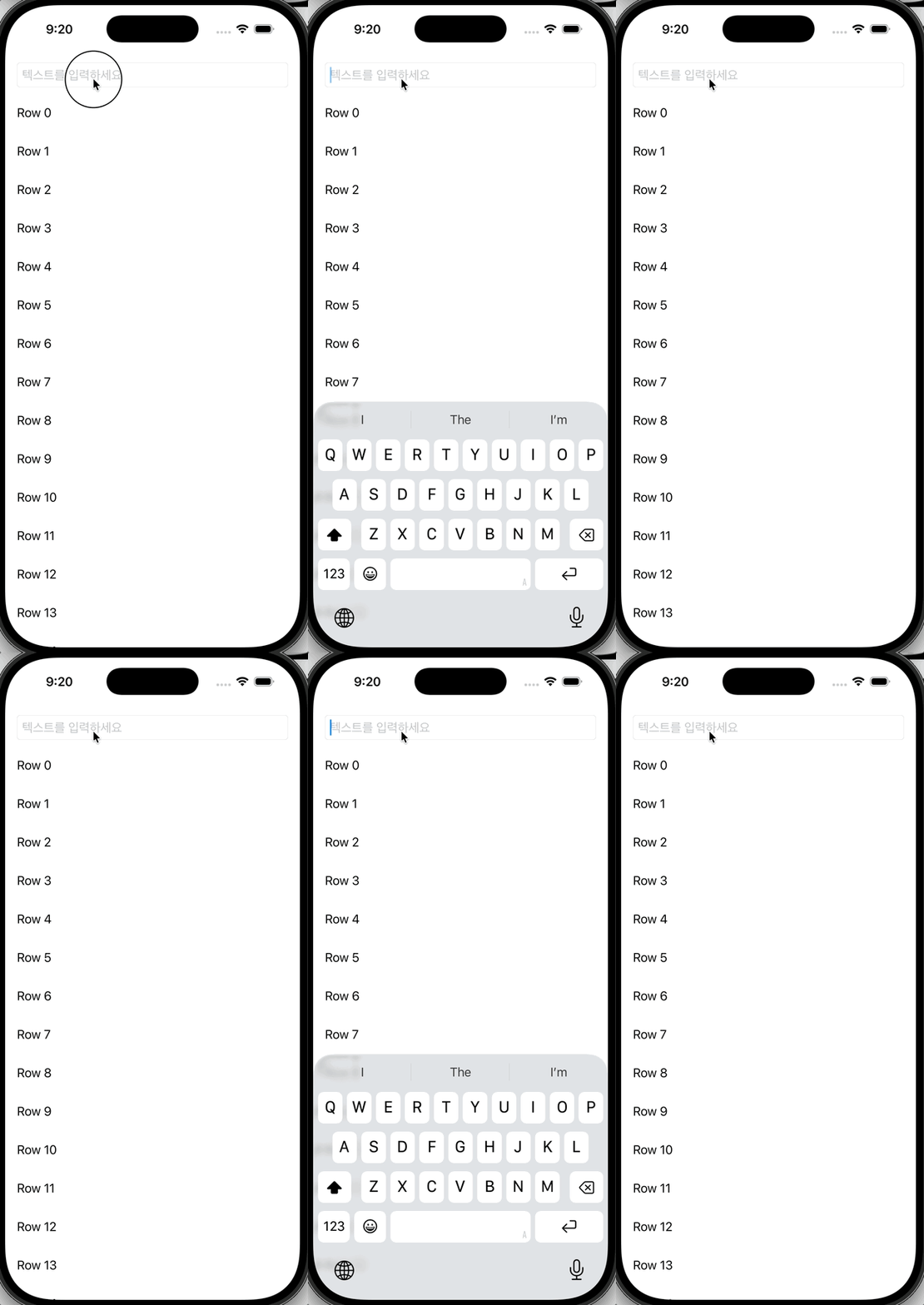
- simultaneousGesture가 아니라 tapGesture를 사용하면 텍스트 필드 자기 자신을 탭해도 여전히 유지되어 원하는 동작이 가능

- simultaneousGesture 사용과 onTapGesture 동작이 다른 이유?
- 우선순위가 다르기 때문
simultaneousGesture를 사용할 때 주의할 점
- simultaneousGesture
- 자식과 병렬로 모두 인식 → 컨트롤 동작을 유지하면서 부모 처리도 가능
- onTapGesture
- 자식 제스처와 경쟁하며 자식의 우선순위가 높음
- 때문에, simultaneousGesture를 사용하면 우선순위가 다 동일해지고, onTapGesture를 사용하면 자식의 우선순위가 높아진다는 것을 알 것
전체 코드
struct ContentView: View {
    @State private var text: String = ""
    @FocusState private var isFocused: Bool

    var body: some View {
        ScrollView {
            VStack(spacing: 16) {
                TextField("텍스트를 입력하세요", text: $text)
                    .textFieldStyle(.roundedBorder)
                    .focused($isFocused)

                ForEach(0..<20, id: \.self) { idx in
                    Text("Row \(idx)")
                        .frame(maxWidth: .infinity, alignment: .leading)
                        .padding(.vertical, 8)
                }
            }
            .padding()
        }
//        .simultaneousGesture(
//            TapGesture().onEnded {
//                isFocused = false
//            }
//        )
        .simultaneousGesture(
            DragGesture().onChanged { _ in
                isFocused = false
            }
        )
        .onTapGesture {
            isFocused = false
        }
    }
}'iOS 응용 (SwiftUI)' 카테고리의 다른 글
'iOS 응용 (SwiftUI)' Related Articles
more


Comments